Read summarized version with


Introduction
Most guides on this topic are written for enterprises with 30-person data engineering teams and dedicated platform architects. This one isn’t. It’s a step-by-step playbook for the company that actually needs it — a mid-market business with a 12-year-old SQL Server data warehouse, a three-person IT team, and one senior engineer who built most of it and just gave notice.
We illustrate the playbook with one recent SQL Server to Databricks data migration for a mid-market agribusiness: multiple sites, an ERP, field IoT sensors, and a dozen-plus operational sources feeding one reporting stack. Under NDA, the client stays unnamed. What we share are the patterns, decisions, and outcomes that decide whether the move is worth it — refined across years of data-engineering delivery into Databricks customer migration strategies and best practices a mid-market team can actually execute.
The business sections cover signs, fit, phases, cost, and timeline. Two sections go deeper into the engineering: the medallion layers and the SQL-Server-to-Databricks translation gaps. Skim or dig in as you need.
The whole playbook fits on one screen — the rest of this article is the details behind each row:
| Phase | Duration | Key deliverable | Your time |
| 0 · Pre-discovery | 1–2 weeks | One-page scope + fixed-price quote | ~2 hrs (CTO/IT lead) |
| 1 · Discovery & inventory | 2–3 weeks | Written inventory, risk register, per-source estimate | 3–5 hrs/week (senior engineer) |
| 2 · Reference pipeline | ~6 weeks | One source live end-to-end, template set | 1–2 hrs/week reviewing |
| 3 · Parallel run & cutover | 6–10 months | Each source was migrated and reconciled | 2–4 hrs/week per source |
| 4 · Decommission & hardening | 1–2 months | Legacy archived, governance live | UAT sign-off per report |
Data Engineering: From Raw Web to Data Product
We develop and manage custom data solutions, powered by proven experts, to ensure the fastest delivery of structured data from sources of any size and complexity.
We offer:
- Custom Web Scraping & Development
- 15+ Years of Engineering Expertise
- AI-Driven Data Processing & Enrichment
Signs Your Legacy Data Warehouse Is Ready for Databricks Migration
Across the mid-market data warehouse solutions we migrate, the trigger for a legacy data warehouse migration is seldom “we want a more modern stack.” It’s usually one or more of these business problems arriving together.
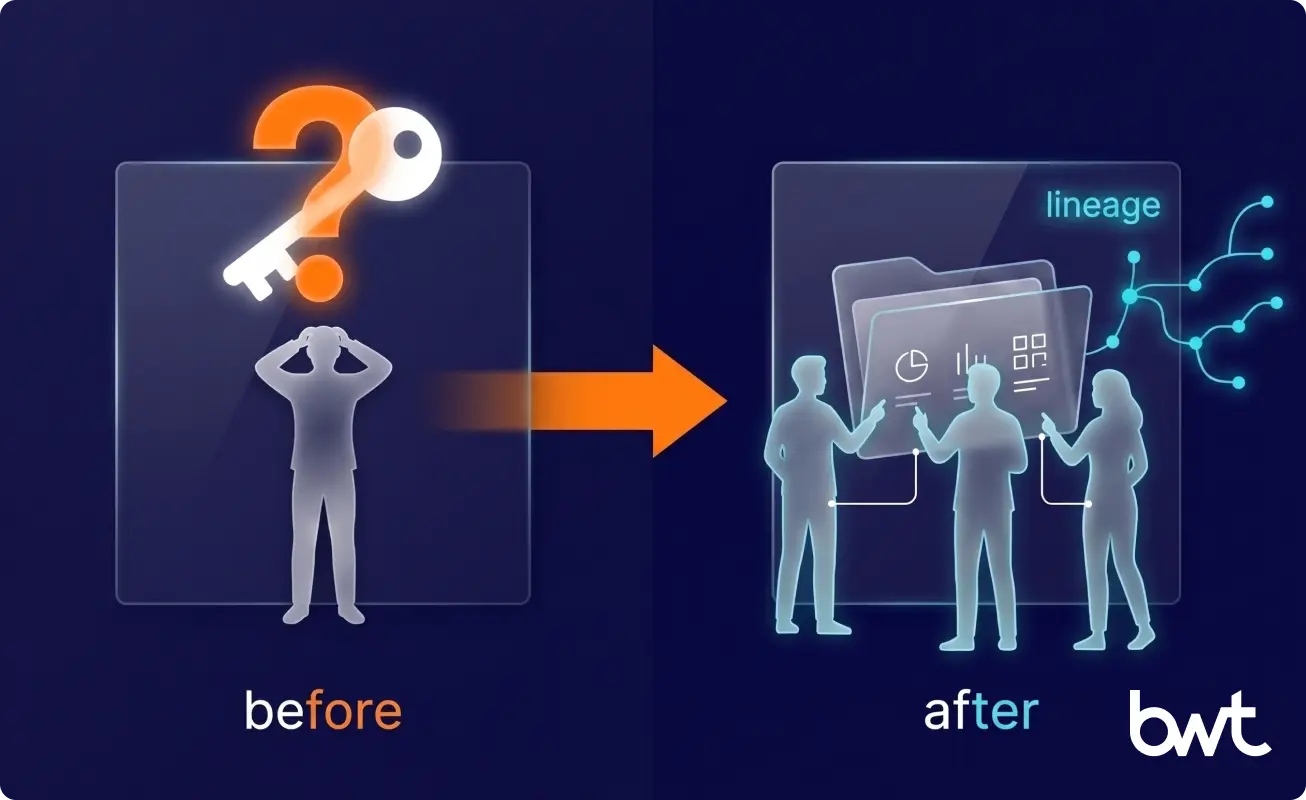
- Bus factor of one. One person knows where the stored procedures live, why a view is encrypted, and which job feeds the CFO’s dashboard — one resignation from unreachable. In our agribusiness engagement, the risk was immediate: the engineer who built the warehouse was leaving within weeks of kickoff, so the first job was capturing his knowledge before he walked out the door.
- Cumbersome troubleshooting. A decade of organic growth leaves thousands of tables, dozens of schemas, and encrypted views nobody can place. More stored procedures are undocumented than documented. When a number looks wrong, no one can say why in under two days.
- Reactive data quality. If your team’s daily ritual is catching wrong numbers before the business sees them, you’re not running a data warehouse — you’re running a triage clinic. Quality checks built into the pipeline, not run after the fact, are one of the biggest reasons to consider a Databricks lakehouse migration.
- AI and ML on the roadmap. Spreadsheet-driven decisions don’t survive an AI mandate. Boards are asking mid-market CEOs for ML use cases, and ML needs governed, lineage-tracked, columnar data — exactly what a Lakehouse provides and a legacy SQL Server warehouse does not.
- TCO drift. SQL Server licensing, hardware refresh cycles, and every new BI seat add up. Once the total cost of ownership (TCO) is a recurring budget-review topic, migration becomes a finance project, not just an engineering one.
Why Mid-Market Teams Choose Databricks (and Why Some Should Not)
Before the Databricks data migration strategy itself comes the question of whether Databricks is the right destination at all. The problems a Lakehouse migration resolves are concrete:
| Dimension | Legacy SQL Server warehouse | Databricks Lakehouse |
| Bus factor | One engineer holds the logic in their head | Logic lives in code, lineage, and Unity Catalog |
| Troubleshooting a wrong number | Days; the answer lives in one person’s head | Lineage traces source-to-report in minutes |
| Data-quality model | Reactive, after-the-fact checks | Quality checks are built into the pipeline |
| Cost of adding a source | Bespoke, weeks of work | Templated, marginal cost drops |
| ML / AI readiness | Spreadsheet exports | Governed, lineage-tracked data ready for ML |
Databricks is a strong fit when:
- You have heterogeneous sources — APIs, ERP feeds, IoT streams, flat files — stitched together by batch jobs nobody owns.
- You need a data lakehouse that serves BI today and ML tomorrow from one governed layer.
- You want Unity Catalog for fine-grained RBAC, lineage, and schema-level access without a separate governance product.
- You’re willing to invest in discovery. Databricks rewards good architecture and punishes lifted-and-shifted spaghetti.
Microsoft reaches the same conclusion at the smallest end of this market. In Modern Data Warehouses for Small or Medium-Sized Businesses, it recommends a sub-1 TB on-prem SQL Server warehouse to be modernized incrementally: rehost first, re-platform later.
Databricks is a poor fit when:
- Your data is small, stable, and rarely changes. If a single SQL Server instance serves your reporting and you have no ML roadmap, migrating is a cost with no return.
- You want zero operational learning curve. Spark, Delta, and Unity Catalog are real skills; a team adopting them without a partner spends months on that curve, and the ramp belongs in the business case.
- You don’t have, and don’t want, a partner to carry the Spark / Delta side. A small team can only do this with a partner acting as a long-term operator, not a one-time installer.
If your workload is SQL-first with no near-term ML, Snowflake or Microsoft Fabric may fit with less overhead. Knowing when to migrate to Databricks — and when to hold — is the first decision this playbook helps you make. Sometimes the answer is “not Databricks,” and sometimes “not a migration at all.”

Databricks vs Snowflake vs Microsoft Fabric for a Mid-Market Migration
The deciding factor is rarely raw performance — it’s your ML roadmap and how much operational overhead your team can carry.
| Dimension | Databricks | Snowflake | Microsoft Fabric |
| Best when | BI today and ML tomorrow on one platform; heterogeneous sources; Spark in the stack | SQL-first BI, near-zero maintenance, no near-term ML | All-Microsoft shop, Power BI-centric, light data engineering |
| Operational overhead | Highest — Spark, Delta, Unity Catalog are real skills | Lowest — managed, little to tune | Low to medium if you already run Microsoft |
| ML / AI readiness | Native | Improving, but bolted on | Basic |
| Mid-market fit | Strong with a partner carrying the Spark side | Strong for a small team going solo | Strong if you are already Microsoft-native |
Short version: Databricks if ML and a unified lakehouse are on your two-year plan; Snowflake if you’re SQL-first with no near-term ML; Fabric if you’re already all-in on Microsoft.
Also Read: Data Orchestration as a Service: How to Automate, Scale, and Govern Modern Data Workflows
The 4 Phases of a SQL Server to Databricks Migration
A safe phased migration to Databricks approach has four phases. None are academic — each exists because we’ve watched a skipped one blow up a migration.
Not on SQL Server? The playbook still holds. We use a SQL Server to Databricks migration as the running example because it’s the most common mid-market starting point, but the same phased approach works for any legacy source — Oracle, Teradata, Redshift, or Snowflake. The discovery-first Databricks data migration strategy below is source-agnostic; only the connectors and the stored-procedure dialect change. Any legacy data warehouse migration runs through the same four phases.
Phase 0 — Pre-discovery (the conversation before the contract). One to two weeks of async Q&A and one architecture call. Output: a one-page scope and a fixed-price discovery quote. For our agribusiness client, pre-discovery surfaced two scope-changers before any money changed hands — a second database instance nobody had mentioned, and an IoT source running far more often than the IT team realized.
Phase 1 — Discovery and inventory (2–3 weeks, fixed-price)
The most underrated phase we run. The deliverable is a written inventory of:
- Source systems — every API, change-data-capture feed, SharePoint folder, and flat file.
- Database objects — table counts, view counts, stored procedures, schema dependencies.
- Consumption layer — every BI workspace, dataset, and report, and who actually opens it. Most of the value is here: which reports does the business genuinely use?
- Knowledge gaps — every encrypted view, undocumented job, and the logic that lives only in someone’s head.
Databricks data migration discovery phase: what to expect, client-side: ~3–5 hours a week of your senior engineer for two to three weeks. Without their participation, discovery produces a useless artifact.
“On every legacy warehouse we’ve inventoried, about half the reports turn out to be ones nobody opens. The hard part of discovery isn’t reading the SQL — it’s getting the business to admit which dashboards they’d never miss.”
— Alex Yudin, Head of Data Engineering at GroupBWT
Phase 2 — Reference pipeline (one source, end-to-end)
Pick one source. Build it through the full medallion architecture — Bronze → Silver → Gold — wired to a real BI report (~6 weeks). It becomes the template for every later source, settling naming, Unity Catalog layout, ingestion patterns, and governance once, in writing.
Phase 3 — Parallel run and source-by-source cutover
The longest phase, and the one that decides whether end users feel the migration. The rule is non-negotiable: the legacy SQL Server warehouse keeps running until the matching Lakehouse pipeline passes reconciliation for at least one full business cycle — for an agribusiness, a full growing season, not a calendar week. Each source runs the same checklist: ingest to Bronze, model Silver, build Gold marts, repoint the BI dataset, reconcile, and retire legacy objects. Source by source. No big bang.
Phase 4 — Decommission and governance hardening
Once every actively used report is served from Databricks and reconciliation has held for an agreed window, the SQL Server warehouse is archived, and Unity Catalog policies, lineage, and continuous quality checks become the day-2 operating model.
Day-2: Optimizing Cost After Cutover
The work of a data warehouse migration doesn’t end at cutover — it changes shape. Once reports run on Gold tables, four things become the operating model:
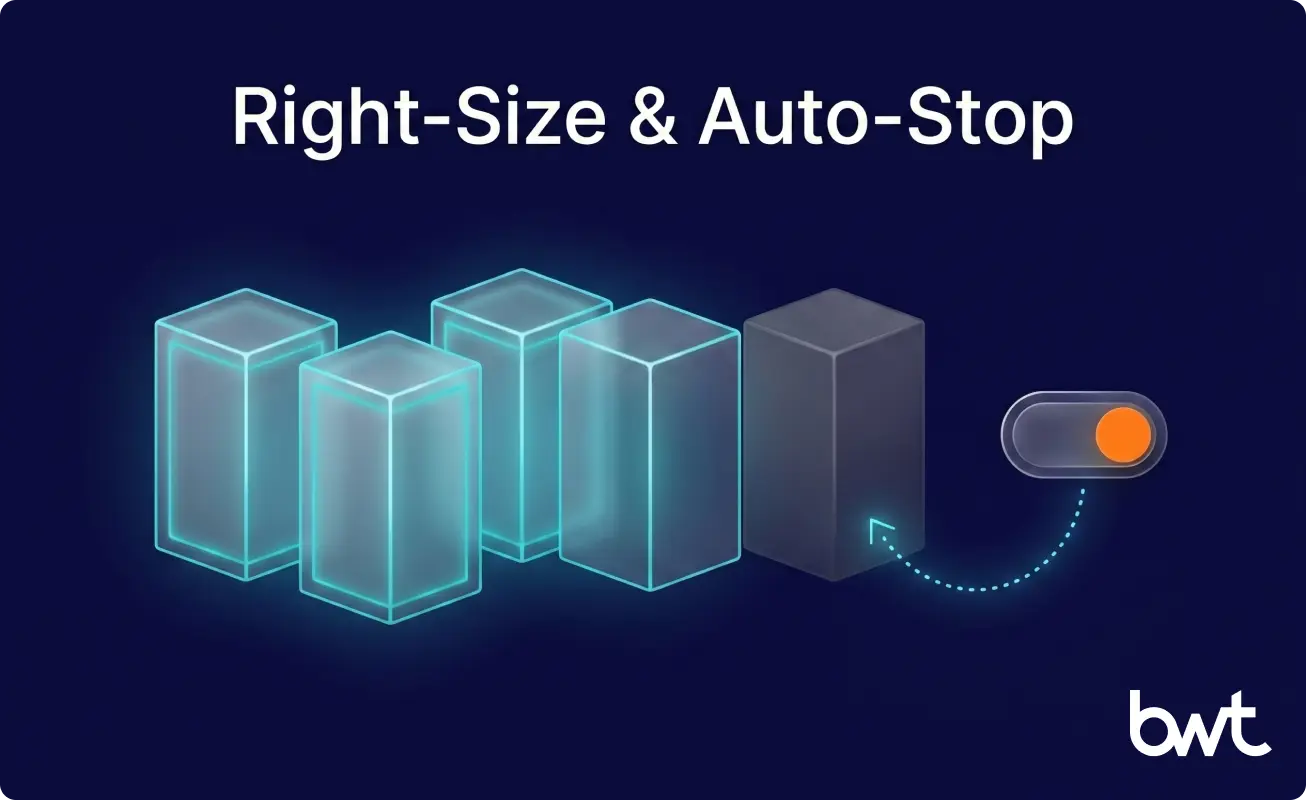
- Right-size compute. Migration clusters are bigger than steady-state needs — match sizing to real query patterns and turn on auto-stop so idle compute stops billing.
- Watch the cost per pipeline. Databricks bills by consumption, so the question shifts from a fixed licence to per-job spend — tag jobs by source and review the heaviest monthly.
- Keep the quality checks running. They’re day-2 infrastructure, not a migration artifact.
- Decide who owns day-2. Right-sizing and cost review are a standing job — agree at cutover who owns the monthly review, or it quietly stops, and the bill drifts up. This is where a partner-operator model earns its keep: we run quarterly relationship-level reviews, not just delivery-status check-ins, so cost, architecture, and the next workload stay on one agenda.
A Lakehouse stays cheaper than a legacy stack only if someone owns these four jobs after cutover.
Inside the Medallion Architecture: Bronze, Silver, Gold for Mid-Market
The medallion architecture is the most useful pattern in a Databricks lakehouse migration: it forces apart the three things legacy SQL Server warehouses almost always tangle together — ingestion, business logic, and consumption.
   Source (SQL Server · API · IoT feed)
              │
              ▼
   ┌────────────────┐   raw, append-only — “received from source X at time Y”
   │     BRONZE     │   no filtering, no dedup; your audit trail and replay buffer
   └────────────────┘
              │   cast types · normalize names · dedup · merge late-arriving data
              ▼
   ┌────────────────┐   normalized + conformed; the layer the data team trusts
   │     SILVER     │   (split: normalization sub-layer → aggregation sub-layer)
   └────────────────┘
              │   denormalize · join · apply business names
              ▼
   ┌────────────────┐   wide, BI-ready tables; no joins at query time
   │      GOLD      │   BI and ML pipelines read from here
   └────────────────┘
The diagram shows the mechanics; two design choices matter most. We split Silver into a normalization sub-layer and an aggregation sub-layer, which makes stored-procedure conversion tractable, since most legacy procedures do one or the other. And Gold enforces a discipline: if a report is slow, you don’t tune the report — you build a Gold table for it.
Concretely: a field sensor reading lands in Bronze as a raw timestamped row. In Silver, it becomes a typed, deduplicated record joined to the ERP’s site master, so a reading and an invoice finally agree on what “site 4” means. In Gold, it rolls up into a table that the dashboard reads directly — the join and business logic that once lived in a stored procedure now runs once, upstream, not on every query. That’s the mapping in miniature: stored-procedure logic unbundled and reassigned to the layer where it belongs.
None of these layers is a default you inherit — they’re decisions you make. AWS frames it the same way in Navigating Architectural Choices for a Lakehouse Using Amazon SageMaker: the medallion pattern sits on storage, catalog, and table-format choices a team picks deliberately.
ETL Pipeline Migration: Choosing the Right Tools
Once the medallion is decided, the question shifts to data warehousing and ETL: how data gets into Bronze. The mid-market answer is rarely “build everything in Apache Spark from scratch.” It’s a per-source choice with a short decision rule:
| If the source is… | Use… | Why |
| A standard SaaS or database with a maintained connector | Managed connector (Fivetran, Lakeflow Connect) | Off-the-shelf, no ingestion code to maintain |
| A transactional database where you only want changes | Change-data-capture (CDC) | Streams only what changed, not nightly full reloads |
| A custom API, odd file format, or logic-heavy transform | Delta Live Tables / PySpark | No connector exists, or business logic must run on ingest |
| A high-frequency IoT or event feed | Streaming ingestion in small batches | Managed connectors choke on sub-minute arrival rates |
Managed connectors win until they don’t: they fail when a source has no maintained connector, charges per-row sync fees that dwarf the engineering cost, or needs transformation before landing — the line where custom Spark stops being optional. So ETL migration services are a per-source decision, not a platform-wide one.
Even the table format is per-source. A 2025 benchmark, Research on the Efficiency of Data Loading and Storage in Data Lakehouse Architectures, found that Delta Lake loaded fastest while Apache Iceberg saved the most disk. A connector worth it for one source is wasteful for another — discovery is where each choice is made deliberately and kept replaceable, so swapping a tool later is a per-source change, not a re-platforming.
Unity Catalog, Data Governance, and the End of Tribal Knowledge
The hardest change in a mid-market Databricks data migration isn’t technical — it’s the loss of “ask Mike.” Twelve-year-old warehouses run on tribal knowledge; Lakehouses run on data lineage and data governance. NIST treats governance as the foundation for using data safely, not a cleanup step, in its Data Governance and Management Profile.
Unity Catalog is the lever. Every table sits in a three-level catalog.schema.table namespace — prod.sales.daily_orders, prod.iot.sensor_readings — where the catalog is the environment, the schema maps to a source or domain, and the table is the dataset. Access is RBAC at the schema level: grant a team the sales schema once, not table by table. Lineage between Bronze, Silver, and Gold is automatic — Databricks tracks which table came from which, with no manual documentation.
This unlocks data democratization: analysts browse the catalog, find the right Gold table, and trust the lineage back to source — the knowledge no longer walks out when one person does. Without a dedicated governance lead — or data governance consulting services to stand the model up — don’t over-engineer it on day one: start with a few schemas, grant at the schema level, and add finer policies as use cases demand.
What a Databricks Migration Actually Costs a Mid-Market Company
Databricks data migration cost is the question that derails more projects than any technical decision. The honest mid-market answer has three lines.
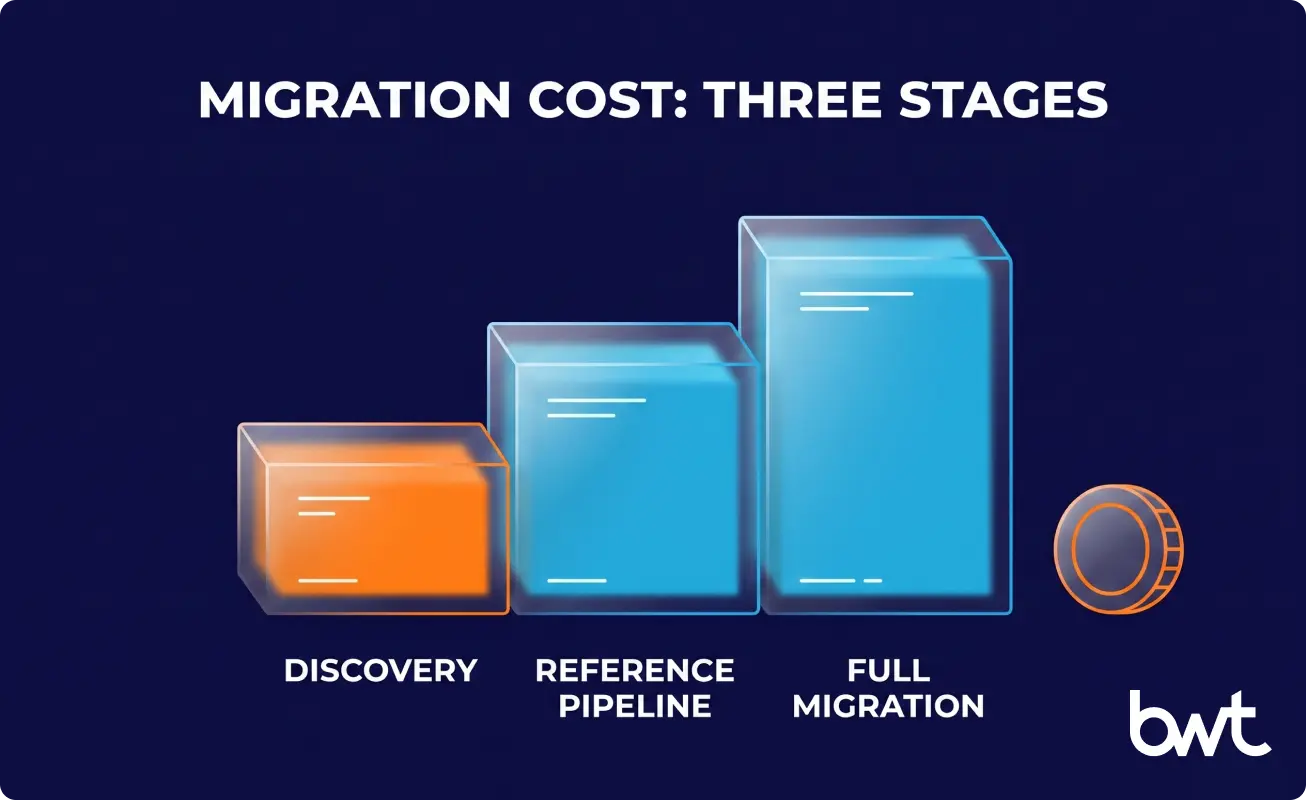
- Discovery — fixed price, typically $5,000–$8,000 for a 15–25-source warehouse (more sources, higher end of the range). Two to three weeks. Output: written inventory, reference architecture, source-by-source effort estimate, risk register. The only number to commit to before you know what’s in the warehouse.
- Reference pipeline — ~6 weeks, one engineer. First source end-to-end through medallion, with a real BI report repointed against Gold. After this, you have a defensible per-source estimate.
- Full migration — variable, source-by-source. For a typical 15–25 source portfolio, plan 9–14 months of part-time engineering plus platform cost.
Where the money goes is predictable. The largest line is engineering time during parallel run — reconciling each source against legacy, not platform compute. The most underestimated is discovery debt: every source you skipped becomes a mid-project surprise after the budget is set. Steady-state compute usually costs less than the SQL Server licensing and hardware it replaces, if you right-size clusters and use auto-stop.
The savings show up line by line. Running compute on the client’s own cloud, working hours only with auto-stop, keeps steady-state spend down. The CFO’s view of TCO changed once licensing, maintenance windows, and senior-engineering firefighting time became visible as line items. The real question isn’t “what does Databricks cost?” but “what does each pipeline cost to run, what is it saving, and what was the legacy stack actually costing us?”
“The cheapest pipeline is the one you never build. On most mid-market warehouses, a third of the sources are feeding reports nobody reads — retiring them instead of migrating them is the single biggest cost lever, and it never shows up on a vendor’s pricing page.”
— Dmytro Naumenko, CTO at GroupBWT.
Common Reasons Databricks Migrations Fail (and How to Avoid Them)
Why Databricks migrations fail comes up in almost every discovery call, and so do Databricks data migration challenges and how to avoid them. The failure modes are consistent — the same handful every time we’re called to rescue a stalled migration.
- No discovery phase. Teams jump from “we should migrate” to “let’s stand up a workspace.” Six months in, they find the second database instance, the encrypted view behind the board report, the dashboard that the CEO checks daily, that nobody documented. By then, the budget is gone.
- Big-bang cutover. “We’ll run both in parallel for a week, then switch.” A week is never enough — reconciliation needs at least one full business cycle, a month for most companies, a season for some.
- Lift-and-shift stored procedures. Translating hundreds of procedures one-for-one into PySpark produces something unmaintainable. Use the migration as a forcing function: rewrite by intent, not syntax. Automated tooling tempts the other way — Google’s What’s New with Google Data Cloud offers Gemini-assisted SQL conversion. But it speeds the typing, not the thinking: converted code still needs validation, and a rewrite where the logic is flawed.
A one-for-one translation also fails because SQL Server and Databricks SQL don’t behave the same. Migrating SQL Server to Databricks means knowing where the engines disagree. A line-for-line port breaks in four ways, each a reconciliation bug you find only after cutover:
- Transactions are table-level, not multi-table. Delta Lake gives each table ACID guarantees, but no transaction spans tables. A procedure built on one atomic boundary across tables must be redesigned, not translated.
- Key constraints are informational by default. You can declare primary/foreign keys on Databricks Runtime 11+, but they aren’t enforced at write time — so the job of rejecting bad rows moves into your Silver-layer quality checks.
- Numeric precision must be set on purpose. Source and target numeric types differ; declare precision before picking a type, or silent rounding becomes the classic reconciliation bug a week after cutover.
- Objects use a three-level namespace. catalog.schema.table replaces SQL Server’s two-part schema.table, changing how every reference and grant is written.
In plain terms, each of these is a number or a reference that silently disagrees between the old and the new systems. That’s why every source is reconciled against the legacy warehouse before it goes live, not after — the four points above are exactly what reconciliation catches.
- Ignoring the consumption layer. The migration is done not when data is in Gold, but when every business-critical report is repointed, validated, and producing identical numbers — or, where legacy numbers were wrong, known-correct ones with a variance report.
- Underestimating key-person risk. If the engineer who built the warehouse is leaving, this isn’t a 12-month project — it’s a 12-week knowledge-transfer sprint, then a 9-month build. Reorder accordingly.
Outcomes: What “Done” Looks Like for a Mid-Market Migration
For the agribusiness, discovery and the reference build came first; the structured migration is set up to deliver business outcomes, not engineering metrics:
- Bus factor: retired. Knowledge moves into a governed catalog, documented models, and lineage that any qualified hire can read on day one — continuity no longer rides on one engineer.
- Reporting: reactive to proactive. Quality checks become part of the pipeline, so fewer wrong numbers reach the board.
- New sources: cheap to add. A templated path shortens time-to-insight for every source after the first.
- TCO: below the legacy run rate. Once licensing, hardware, and firefighting are counted honestly, the budget frees up for the AI roadmap.
- AI/ML: from “someday” to scoped. The AI use cases the business actually wants become buildable on governed historical data instead of being blocked on data plumbing.
A Realistic Timeline for Mid-Market Databricks Migration
Databricks data migration timeline for a mid-size company depends almost entirely on source-system count and consumption-layer complexity. Phase durations are in the table up top; for ~20 sources and ~150 active reports, the whole arc runs 9–14 months, at a sustained ~5 hours a week of client time once moving.
A small data team — one senior engineer and two juniors, with an external partner carrying the Databricks-specific work — sustains this without hiring. That’s the real answer to Databricks migration with a small data team: not done by your team, done with your team.
Next Step: Start With a Discovery
A guide is only useful up to the point where it becomes your migration. The next step is a discovery phase — fixed scope, fixed price, two to three weeks of structured inventory, no commitment to migrate after.
If you have a 10+ year SQL Server warehouse, a small data team, and the sense that no one has fully mapped it, that’s exactly when discovery pays for itself. At minimum, you walk away with a written inventory of your own warehouse — often the first structured one the business has seen.
The first architecture call costs nothing and carries no commitment — it’s there so both sides can judge whether a paid discovery is warranted. Before you book it, start the inventory yourself:
- List every source feeding the warehouse — APIs, ERP, flat files, IoT.
- Count tables, schemas, and stored procedures; flag the undocumented and the encrypted.
- Pull BI usage logs and mark which reports were opened in the last 90 days.
- Name the one person who understands the most fragile part of the pipeline.
- Write down the ML or AI use cases the business expects in the next year.
Walk in with those five answers, and discovery starts a week ahead.
“We price discovery to be walk-away-able on purpose. If the inventory says don’t migrate, that’s a successful discovery — a partner who can only win by selling you the full migration isn’t offering discovery, they’re running a sales call.”
— Oleg Boyko, COO, GroupBWT
Plan 9–14 months for 15–25 sources and 100–200 active reports. The variable that moves the date is human, not technical: faster when discovery is honest, slower when the engineer who built the warehouse is mid-exit — then it’s a knowledge-transfer sprint before it can be a build.
Only discovery is fixed-price; everything after is variable and per-source. The line that surprises CFOs: the highest cost is engineering time during parallel run, not platform compute — and the biggest savings come from retiring unused sources, not negotiating the platform bill.
Yes, if an external partner becomes a long-term operator, not a one-time installer. Discovery defines which work transfers to your team after cutover and which the partner keeps.
Bronze (raw), Silver (normalized), Gold (BI-ready). You need it because legacy SQL Server warehouses tangle ingestion, business logic, and consumption joins into the same stored procedures — Medallion is the discipline that stops the migration from reproducing that mess.
They keep running on the legacy warehouse, then get repointed to Gold tables one at a time, after reconciliation. End users never see a flag day.
If your data is stable, your team has succession, your TCO is predictable, and you have no ML/AI roadmap — stay. Migrate when you have a specific business problem to solve, not because the platform is new.
The full comparison, including Microsoft Fabric, is in the section above. The deciding question is rarely the engine — it’s whether ML and a unified lakehouse are on your two-year plan. If they are, Databricks; if you’re SQL-first with no near-term ML, Snowflake.
Detailed above. The cheapest to avoid: almost every stalled migration we rescue skipped or rushed discovery, so surprise sources and bus-factor risk surfaced mid-build, after the budget was committed.
Read summarized version with
Data Engineering: From Raw Web to Data Product
We develop and manage custom data solutions, powered by proven experts, to ensure the fastest delivery of structured data from sources of any size and complexity.
We offer:
- Custom Web Scraping & Development
- 15+ Years of Engineering Expertise
- AI-Driven Data Processing & Enrichment