Read summarized version with


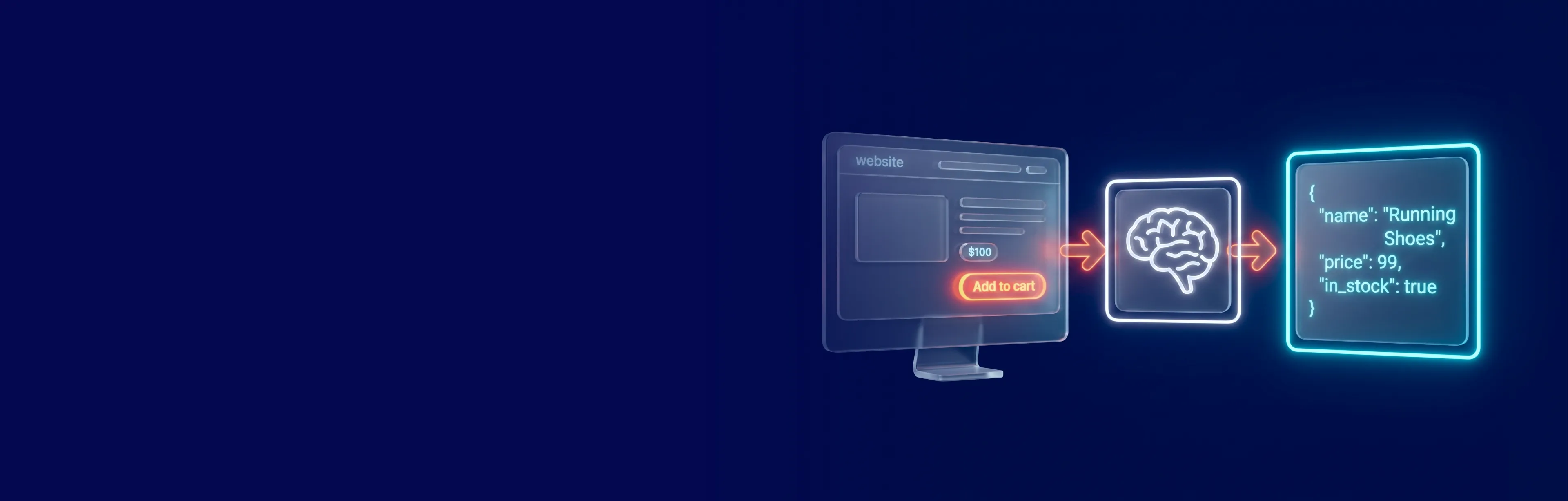
Claude can read a messy product page and hand you clean JSON. It cannot fetch that page. That split — Claude parses, something else fetches — explains most of what goes right and wrong in web scraping with Claude code.
Treat the model as a parser and a coding partner, and it earns its place. Expect a one-click scraper, and you lose a week. This guide covers where Claude fits, how to set it up, a working Python example, the honest comparisons against rule-based parsing and ChatGPT, and the limits no model removes — proxies, cost, compliance.
Data Engineering: From Raw Web toData Product
We develop and manage custom data solutions, powered by proven experts, to ensure the fastest delivery of structured data from sources of any size and complexity.
We offer:
- Custom Web Scraping & Development
- 15+ Years of Engineering Expertise
- AI-Driven Data Processing & Enrichment
When Claude Makes Sense for Scraping Projects
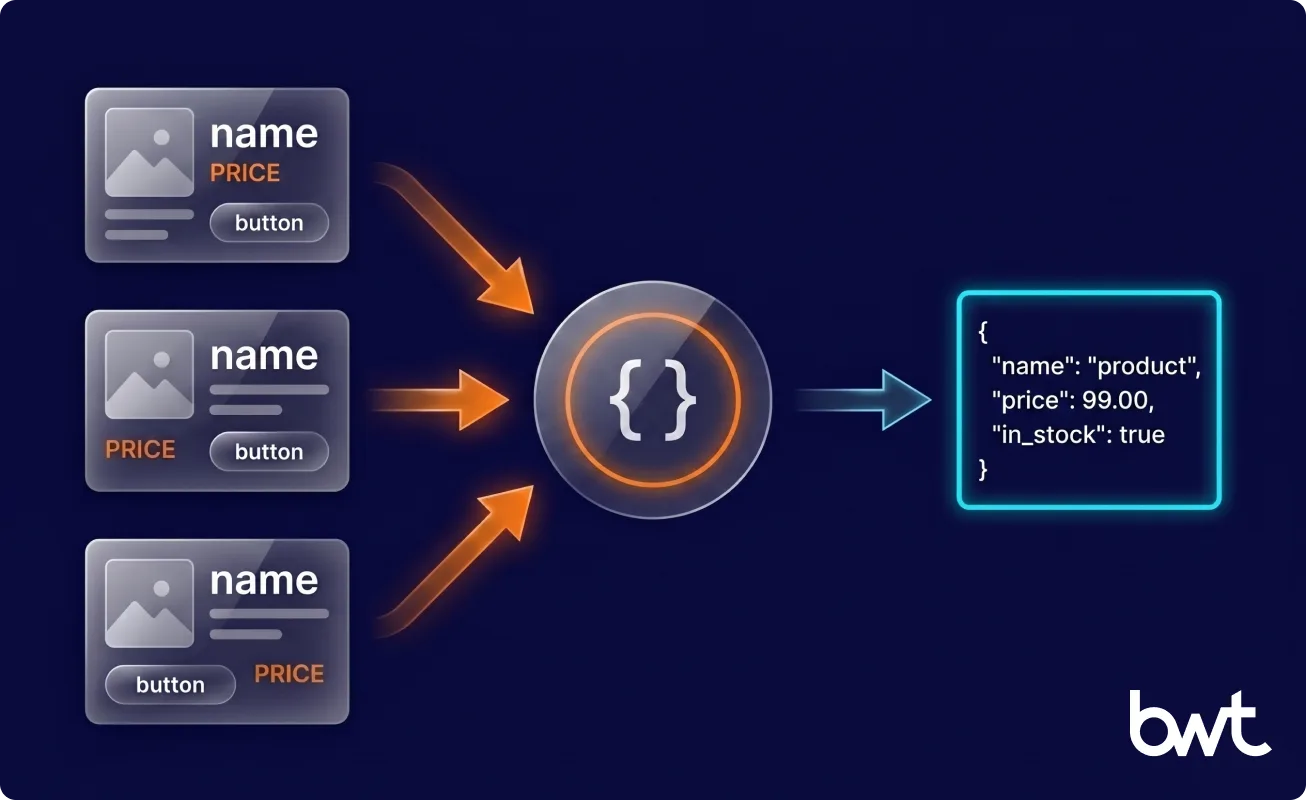
Reach for web scraping with Claude code when the page layout is inconsistent, the fields are semantic rather than positional, or you are prototyping faster than you can write selectors — a model shines where “the price” sits in three different DOM positions across one catalog.
Skip it in four cases: a stable DOM unchanged for months, ultra-high-volume extraction where a per-page fee compounds fast, a tight latency budget, and deterministic compliance workflows. The question is never “AI or not” — it is which parts of the pipeline are unstable enough to deserve a model.
How Claude Fits Into a Modern Web Scraping Workflow
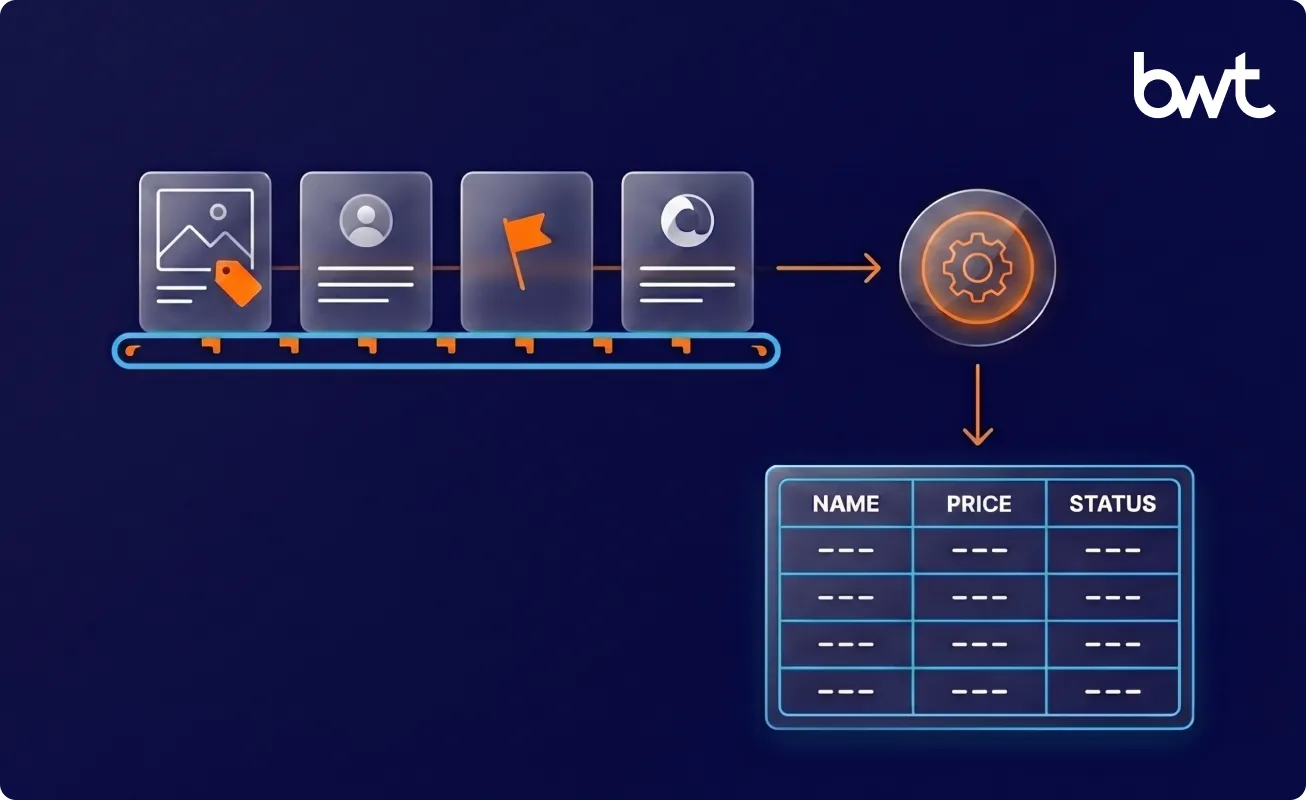
A pipeline runs in stages: a fetcher downloads the page, a parser turns it into a record, validation checks it, and delivery stores it. Claude touches the parse stage, sometimes validation, never the crawler, the proxy layer, or the database. The cleanest deployments we run at GroupBWT slot the model in as a drop-in for fragile selector logic and leave everything around it — retry logic, job queue, async workers, caching, batching, schema-drift alerts — as conventional engineering. That “everything around it” is usually the larger half of the build, and the part that decides whether the pipeline survives a layout change at 3 a.m.
“The model isn’t your scraper. It’s the part of the scraper that used to be a brittle CSS selector. Treat it that way, and it stops surprising you.” — Alex Yudin, Head of Data Engineering, Web Scraping Lead at GroupBWT

Can Claude Do Web Scraping Directly?
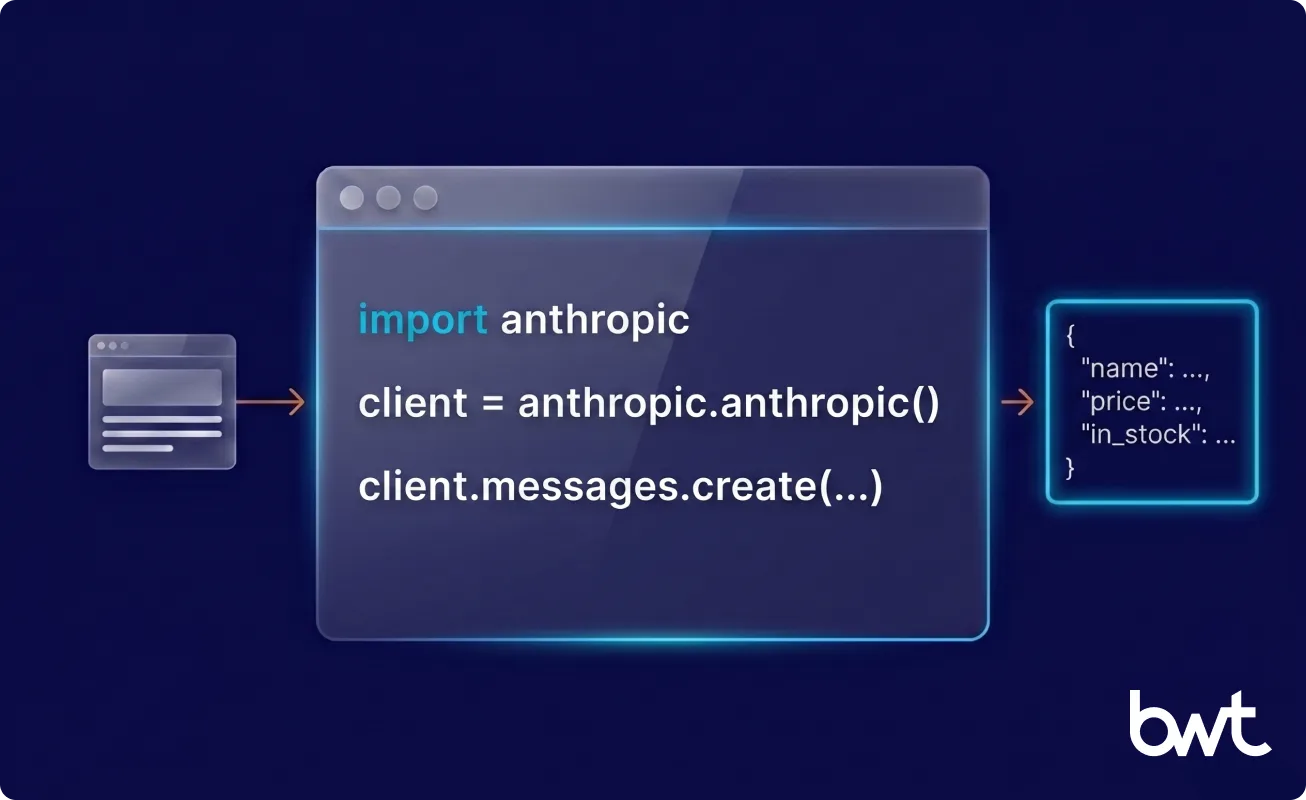
No. Anthropic’s Claude has no browser and no network access, so it cannot retrieve a URL. Every real case of web scraping with Claude is code that fetches the page, then passes the HTML to the model. Retrieval always happens outside Claude, so the working pattern is to pair the model with a fetching layer — the exact setup the next sections build step by step.
What Claude Can and Cannot Do on Its Own
Hand Claude text and it parses HTML, extracts entities, classifies content, and returns JSON. It cannot click, scroll, log in, or wait out a rate limit — naming that boundary early, the real edge of Claude AI web scraping capabilities, saves the most common wasted week.
Why You Still Need a Fetching Layer
The fetching layer is the code that downloads the page — an HTTP library for static sites, a headless browser for dynamic ones — chosen by how the target renders, not by anything about Claude.
Claude for Static vs JavaScript-Heavy Websites
Static pages return their content in the first HTTP response; JavaScript-heavy pages return a near-empty shell that builds itself in the browser, so they need a browser engine to render before Claude sees anything. The model’s job is identical either way.
Ways to Use Claude for Web Scraping
Claude fits a scraping project in two modes. Conflating them causes most of the confusion online.
Using Claude as a Coding Assistant to Build Scrapers
Here, Claude never sees the target site. It writes and debugs the scraper code you run — you describe the page, paste sample HTML, and get a parser back — then refactors it through a redesign and generates regression tests so the next layout change fails loudly instead of silently. This is what most people mean by web scraping with Claude code, and it pairs well with agentic tooling: Anthropic’s Introducing advanced tool use on the Claude Developer Platform describes programmatic tool calling, where the model writes code that drives other tools instead of pausing for an API call at every step.
Using Claude as a Data Extraction Engine
Here, the model sits inside the running pipeline. Your code fetches a page, sends the HTML to Claude on every run, and gets back a structured record. A real prompt from a retailer pipeline reads: “From this product page HTML, return JSON: name (string), price (number, no currency symbol), currency (3-letter ISO), in_stock (boolean from the availability label), size_options (array). Use null for anything you cannot find; return the active sale price, never a struck-through value.” The contract barely changes between runs while the page shifts freely: the token cost recurs forever, but the parser never goes stale, because the model re-reads the page instead of trusting a hard-coded path. This is the AI data scraping pattern in production: the model owns the brittle parse step, conventional code owns everything around it.
Which Approach Is Better for Different Use Cases
The coding assistant fits stable, high-volume sites where a team maintains the code; the extraction engine fits messy layouts and many site variants, at a recurring token cost per page. Most teams land on a hybrid: the assistant builds the stable 80% of the pipeline, the extraction engine covers the unstable 20% that keeps breaking.
How to Set Up Claude for Web Scraping
Creating an Anthropic Account and API Key
- Sign up at console.anthropic.com and add billing before you create a key — there is no free API tier, and the Claude.ai chat subscription does not include API credits.
- Create an API key and copy it once; the console will not show it again.
- Store the key in an environment variable, never in the script.
The API is pay-as-you-go, metered per token — add a small prepaid balance and a monthly cap before production.
Installing the Anthropic Python SDK
Install the official client with pip install anthropic and pin the version. The SDK is a thin wrapper over the REST API, so anything the docs show in curl maps to a Python call.
Preparing Your Python Scraping Environment
Web scraping with Claude code needs more than the SDK: a fetching library (requests for static pages, Playwright for dynamic ones) and a parsing helper that trims HTML before the call. Keep every credential — model key, proxies, database — in environment variables.
How to Scrape a Website With Claude in Python
The flow is ordinary code at every step but one.
Making the request. Your fetcher downloads the page — requests.get(url) for a static site, Playwright for a dynamic one — leaving you a string of HTML.
Sending HTML to Claude. Clean the page first (strip scripts, styles, navigation), then call the Messages API and name the fields you want as JSON (the robust, schema-forced version is in the next section). For high-volume work use a fast tier like Claude Haiku; keep Sonnet or Opus for hard pages.
Extracting the JSON. Claude replies with text. Asked precisely, that text is valid JSON and json.loads() runs clean; asked loosely, the reply opens with “Here is the data you requested” and the parse throws. The fix is a stricter request, not a better model.
Saving and validating. Write the record only after a schema check; anything that fails goes to a review queue, not the production table.
Also Read: AI-Driven Competitive Intelligence for Markets: A CPG Engineering Playbook
How to Improve Extraction Quality With Claude
Quality is an engineering problem, not a prompting trick.
Write a precise prompt, then bind it to a schema. “Extract the product” is vague; “Return name (string), price (number), in_stock (boolean); use null for anything missing” is a contract — and better than hoping for clean text, bind it to a schema directly. AWS puts it bluntly in Structured data response with Amazon Bedrock: Prompt Engineering and Tool Use: “LLMs are inherently unpredictable, which makes it difficult for them to produce consistently structured outputs like JSON.” In the Anthropic SDK, define the schema as a tool and force the call:
product_schema = {
    "type": "object",
    "properties": {
        "name": {"type": "string"},
        "price": {"type": "number"},
        "currency": {"type": "string"},
        "in_stock": {"type": "boolean"},
    },

    "required": ["name", "price", "in_stock"],

}

message = client.messages.create(

    model="claude-haiku-4-5-20251001",  # or current Haiku tier
    max_tokens=1024,
    tools=[{
        "name": "save_product",
        "description": "Save one extracted product record.",
        "input_schema": product_schema,
    }],
    tool_choice={"type": "tool", "name": "save_product"},
    messages=[{"role": "user", "content": "Extract
the product.nn" + cleaned_html}],

)

record = next(block.input for block in message.content
if block.type == "tool_use")  # the tool_use block carries a
dict that matches the schema
Better still, hand Claude a Pydantic-generated schema (via instructor or a similar library) so a typed, validated object comes back instead of a raw dict.
Reduce hallucination and handle missing fields. A model short on context fills the gap with a guess, so send less noise — clean HTML hallucinates less than raw HTML — and tell it to return null rather than infer. Real pages are inconsistent: a field present on 9,000 pages vanishes on the 9,001st, so decide the policy up front — missing means null, never an empty string, never a fabricated default.
Web Scraping With Claude for Large or Complex Pages
A long page can blow past the model’s context window, and even when it fits, a wall of irrelevant markup drags accuracy down.
How to Handle Large HTML Responses
Measure first. Most product and article pages fit comfortably once stripped; the trouble is category pages with hundreds of items. If a page fits after cleaning, skip chunking.
Chunking HTML for Claude
When a page genuinely does not fit, split it on structural boundaries (per product card, per row), never at an arbitrary character count — a cut through the middle of a record produces two broken records. Then concatenate the per-chunk results in Python and deduplicate; that join is cheap for rule-based code, so keep it out of the prompt.
Cleaning HTML Before Sending It to the Model
Cleaning is the highest-leverage step in the pipeline. A raw DOM tree spends input tokens on markup the model will only ignore, so compress before the call: strip scripts, styles, and navigation, then convert what survives into Markdown — a page that weighs hundreds of kilobytes as raw HTML routinely shrinks several times over. NEXT-EVAL: Next Evaluation of Traditional and LLM Web Data Record Extraction found that reshaping HTML into a flat structure before extraction pushed accuracy to 0.9567 on a zero-to-one scale, far above the same models on raw HTML. How you prepare the input matters more than which model you pick.
Claude vs Traditional Web Scraping
Rule-based parsing is not obsolete. It is the right tool more often than the AI hype admits.
Versus Beautiful Soup and CSS selectors. A selector is fast, free per run, and exact — until the layout shifts and it breaks loudly, returning nothing. Claude survives the shift because it reads meaning, not position. You trade cost and speed for resilience.
Versus XPath. More precise and more brittle still: flawless on stable pages, punishing on any drift.
When rule-based parsing still wins. High volume, stable source, tight latency budget: pick the selector — a fraction of a cent per page looks cheap until you multiply it by ten million a month.
Hybrid workflows. The mature pattern uses all three: a fetcher (requests or Playwright) retrieves the page, selectors handle the stable fields, and Claude handles only the fields that keep breaking.
| Method | Resilience to layout change | Best-fit page |
| CSS selectors / Beautiful Soup | Low, breaks on change | Stable, high-volume sources |
| XPath | Very low, breaks on minor drift | Rigid, rarely-updated pages |
| Claude extraction | High, reads meaning not position | Messy, varied, or changing layouts |
“People compare Claude to Beautiful Soup on accuracy and forget the bill. A selector runs for free a million times; a model charges you per page, every page, forever. That math decides the architecture, not the demo.” — Dmytro Naumenko, CTO at GroupBWT
Claude vs ChatGPT for Web Scraping
Both models extract well, and the differences are smaller than vendor blog posts imply — our deeper write-up of ChatGPT web scraping covers the OpenAI side in detail. In short: Claude follows long, explicit field instructions closely and is conservative about inventing values, so it surprises you less on strict schemas; ChatGPT often reaches a usable answer faster from a short prompt. On code generation and HTML extraction the gap is small enough that input quality and your validation layer decide the outcome, not the logo.
Challenges and Limitations of Web Scraping With Claude
The honest section: every limit here is one we have hit in production, and the pattern matches the wider challenges in web scraping any team faces once volume grows.
Token Limits and Cost Considerations
You pay per token, input and output, on every page, every run. Claude Haiku costs roughly a dollar per million input tokens, Opus over ten times that. The break-even is simple: model-assisted parsing is worth it only while the engineering hours spent rewriting broken selectors would cost more than the token bill — so the selector stays cheaper on a stable source, the model wins on one that breaks every few weeks.
Prompt Sensitivity and Output Variability
The same page with two slightly different prompts can yield two different records. Pin it, version it, and test it like code — it is part of your codebase now, not a throwaway string.
Why Claude Cannot Replace Browsers, Parsers, or Proxies
A model does not fetch, render, rotate IPs, or store data. Buy “AI scraping” expecting the whole system, and you have bought a parser, not a pipeline.
What Actually Breaks in Prod
Four failure modes from the beverage-brand build, none of which appear in any vendor demo:
- Coordinates instead of addresses. On store-locator pages built around an embedded map, Claude returns the pin’s latitude and longitude instead of the postal address, because the visible text near the marker is the coordinate label. Fix: a geocoder fallback or an “address only, ignore any lat/long pair” clause, plus a validator that rejects numeric-looking address fields.
- Silent crash after ~200 iterations. A loop walking ZIP codes runs cleanly for one or two hundred steps, then stops responding — no error, no trigger. Fix: checkpoint every twenty ZIPs, restart the worker on a fresh session, resume from the last good index.
- Half the “brands” are reseller skins of one site. The 300 store-locator URLs collapsed to fewer than 200 unique sources once the team saw many “brands” served the same locator from one backend with cosmetic theming. Dedup keys (lat/long + phone + normalized name) had to run across the merged table, not per-source.
- Session-level rate limits, not just IP-level. Claude enforces a per-session cap that compounds with the site’s IP limit, so a worker with fresh proxy IPs still stalls when the model session is exhausted. Treat the session as depletable: rotate session keys on a schedule, not only when an HTTP 429 fires.
Privacy, Compliance, and Data Handling Risks
Sending scraped HTML to a third-party model means that HTML, possibly holding personal data, leaves your infrastructure. Two questions decide whether that is safe. First, exposure in transit: NIST’s Adversarial Machine Learning: A Taxonomy and Terminology of Attacks and Mitigations classifies data-extraction attacks on generative AI as a recognized risk. Second, retention: confirm your API tier excludes inputs from model training, and decide what you may send before you send it — see our gdpr web scraping personal data guidance for the lawful-basis and minimisation checks that apply when personal data passes through a model call.
Why Proxies Still Matter When Using Claude for Web Scraping
No model removes the need for a network strategy.
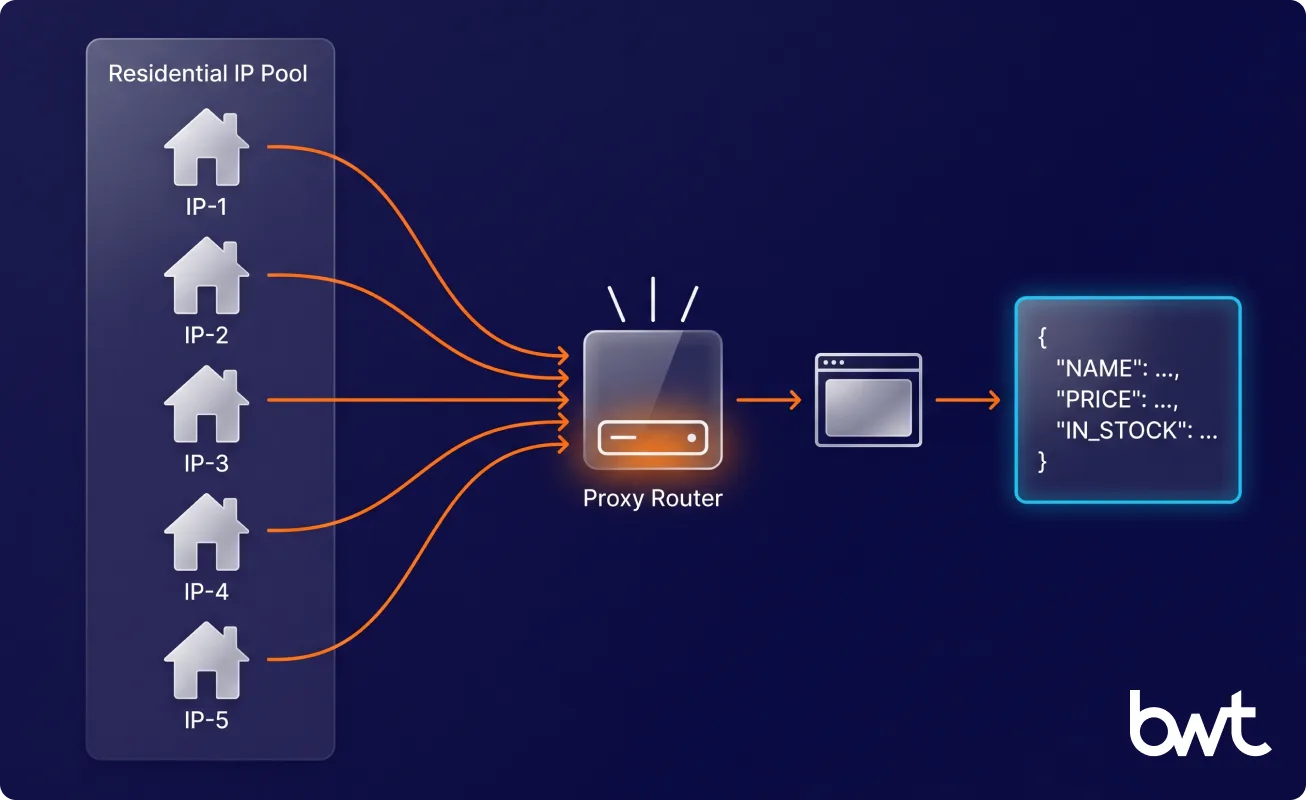
Blocks, rate limits, and IP bans. Sites cap how often one address may request pages, and that block lands at the fetch stage, long before any HTML reaches the model. Proxies spread requests across many addresses so the fetcher keeps going.
Two pools, not one. On the beverage-brand build, the network layer ran two proxy pools at once: a rotating US residential pool for the discovery crawl (a new IP per request, so per-IP rate caps never tripped) and a static US residential pool for the validated detail pages (the same IP for a whole session, so cookies, captchas, and JavaScript state survived between clicks). A single pool of either type stalled within hours.
VPNs lose; residential proxies don’t. Datacentre VPN exits got blocked almost instantly on the same sites that accepted residential traffic. The rule: residential by default, datacentre only where the target allows it.
Geo-targeted scraping. Prices, availability, and even page layout change by country. To collect French pricing you must request from a French address — a proxy decision made entirely outside the model.
One workflow. The full chain is proxy, then browser or HTTP client, then Claude, then validation, then storage. Each link is replaceable; none is optional.
Best Practices for Web Scraping With Claude
Five years of model-assisted pipelines, distilled into a few habits.
Validate Every Response Before Storing Data
A model’s output is a draft, not a record. Route every response through gates before production, and send any failure to a review queue: schema validation (every field present, every type correct), sanity checks (price positive, date plausible, text non-empty), and a duplicate test against stored records. Teams that skip this step debug forever.
“A model that’s right 96% of the time still hands you a 4% lie with total confidence. The schema check that catches it is worth more than the prompt that produced the other 96.” — Oleg Boyko, CCO at GroupBWT
Use Claude for Semantics, Not Just HTML Cleanup
The model earns its cost on judgment, not tag-stripping — deciding that two differently worded listings are the same product, or that a review is sarcastic. One digital-shelf intelligence platform had spent years patching a brittle image-matching rule; GroupBWT replaced it with an LLM step that looks at two product images and judges whether they match.
Keep Human Review in the Loop for Critical Workflows
When a wrong record moves a price, a contract, or a compliance report, a person signs off on the edge cases: automation handles the confident majority, review handles the rest. Web scraping with Claude code is not a workflow you set up once and walk away from.
Real-World Use Cases of Claude in Web Scraping
Where model-assisted extraction pays for itself:
Product data extraction. A Korean e-commerce platform runs a GroupBWT pipeline that structures close to a million product pages a day; because retailer layouts shift constantly, model-assisted parsing keeps the records consistent where a fixed selector set would fracture across catalogs.
Review and sentiment parsing. For a UK consumer-goods retailer, GroupBWT built an extraction and natural-language pipeline that processes 350,000+ customer reviews across 50-plus platforms, deduplicating near-identical ones by meaning rather than exact text, so the retailer reads a true count of distinct feedback.
Lead generation across heterogeneous sites. For a US beverage brand, GroupBWT pulled retail-store contact data from roughly 400 store-locator URLs — fewer than 200 unique backends once reseller skins were deduplicated — each with its own engine, layout, and bot protection. A parser per site was absurd, so the team ran Claude in three modes at once:
- Browser mode — a Chrome plugin steered Claude through pages requiring clicks, ZIP-code filters, or captchas surfaced to a human
- Script mode — Claude wrote and executed throwaway Python scripts for sites with a clean DOM or an exposed API
- Archive mode — Claude queried the Wayback Machine for store locators that had gone dark
All three shared the same extraction contract, so the records merged into one table regardless of path. Six to seven engineers delivered 18,896 store records in 10 days — a workload a manual VA had been chipping at for months. The same playbook backs our custom web scraping builds whenever a target has hundreds of layouts and no API.
Converting unstructured pages into BI-ready data. The goal is rarely a CSV; it is a queryable layer your analysts and AI models can use. Google’s Unveiling new BigQuery capabilities for the agentic era shows the direction. For a hospitality platform, GroupBWT runs a pipeline whose 335 million structured records feed the client’s own AI dynamic-pricing model.
Conclusion: Is Claude Good for Web Scraping?
Claude is good at one part of scraping and very good at it: turning unpredictable HTML into structured, validated records, and writing the code around them. The rest — fetching, rendering, proxies, validation, storage — stays ordinary engineering.
So treat web scraping with Claude code as an architecture decision, not a shortcut. Put the model where layouts are messy and meaning is hard, keep rule-based parsing where the source is stable and high-volume, and validate everything before production. Building this in-house means owning every link in that chain — proxy rotation, headless browsers, schema-drift alerts, the on-call rotation for the night a layout changes. If the dataset matters more than the plumbing, outsource data extraction — a scoping call returns a fixed plan and timeline, not a sales deck.
No. Claude has no browser and no network access, so it cannot retrieve a page on its own. Separate code — an HTTP request or a headless browser — fetches the page first, and Claude only processes HTML already in your script’s memory.
Fetch the page with your own code, strip scripts and navigation, then send the HTML to the Anthropic API with a prompt that names the fields you want as JSON. Claude returns the structured record, and your code validates it against a schema before storing it. You can use Claude to write the scraper, to run extraction live, or both.
For schema-bound extraction the two are close, and your validation layer matters more than the brand. Claude follows strict field instructions closely and is conservative about inventing values, causing fewer downstream surprises; ChatGPT often reaches a usable answer faster from a shorter prompt. Use whichever your team knows well.
A fetching layer (an HTTP library or a headless browser), a proxy provider for rate limits and geo-targeting, a cleaning step that trims HTML, and a validated store for the output. Claude handles only the parse and, optionally, semantic enrichment. It is one component in a pipeline, not the pipeline itself.
Yes, once the content exists. JavaScript-heavy pages return a near-empty shell on the first request and build themselves in the browser, so you must render the page with a headless browser first, then pass the finished HTML to Claude. Rendering is the fetching layer’s job, never the model’s.
Read summarized version with
Data Engineering: From Raw Web toData Product
We develop and manage custom data solutions, powered by proven experts, to ensure the fastest delivery of structured data from sources of any size and complexity.
We offer:
- Custom Web Scraping & Development
- 15+ Years of Engineering Expertise
- AI-Driven Data Processing & Enrichment