

Read summarized version with


Introduction
One Distributor, 4% of Margin, and a Spreadsheet
A Central European electronics distributor lost 4% of gross margin every quarter for two years running. 1,400 SKUs on the pricing team’s plate. Three analysts owned the competitor list, each one updating their portion of a shared spreadsheet twice a week. Monitoring competitor prices was nobody’s full-time job, and it showed: by Wednesday, when the pricing manager actually looked at the numbers, at least one competitor had already moved. Competitor A cut prices on Tuesday. Competitor B matched on Thursday morning. The distributor reacted on Friday. Sometimes not at all.
The damage was specific and measurable. On brake controllers (their highest-margin category), they were consistently overpriced by 6 to 9% against two regional competitors, and didn’t know it for weeks at a time. On commodity cables and adapters, they were underpriced by 3 to 5%, leaving money on the table because nobody checked whether competitors had raised prices.
After moving to competitor price monitoring with a 30-minute data refresh, the 4% margin gap closed within two quarters. Suddenly, the pricing manager had a live view of where they stood against every competitor — and started adjusting weekly, not monthly. No product changes. No marketing spend. The team was the same size. The only variable was how fast they saw what competitors were charging. We’ve documented a web scraping solution for tackling unfair competition that followed a similar pattern.
Data Engineering: From Raw Web to Data Product
We develop and manage custom data solutions, powered by proven experts, to ensure the fastest delivery of structured data from sources of any size and complexity.
We offer:
- Custom Web Scraping & Development
- 15+ Years of Engineering Expertise
- AI-Driven Data Processing & Enrichment

Is This Article for You?
If you manage pricing for 50 or more SKUs across at least 3 competitors, and you’re still doing it manually or with outdated tools, the rest of this article is written for you. We walk through how to monitor prices of competitors at scale — from picking the right tool to writing your first pricing rule. The typical reader we had in mind: a commercial director, head of pricing, or operations lead at a retailer or distributor with 50 to 2,000 SKUs. You understand margin math. You probably won’t build the scraper yourself, but the spec needs to come from someone who gets the business side. That’s you.
Below 50 SKUs with a couple of slow-moving competitors? A spreadsheet is fine. No shame in it. But once you need to monitor competitor prices across dozens of product lines, manual tracking breaks down fast. Skip the rest if that’s not your world yet.
Also Read: Digital Shelf Monitoring Tutorial: How to Track Your Brand and Products Across Online Channels
What Competitor Price Monitoring Should Cover (and Why Most Companies Track Too Little)
The sticker price is where everyone starts. It’s also where most companies stop, and that’s where they leave money.
Effective price, not list price. What’s on the product page? Rarely what a customer actually pays. Promo codes shave a few percent. Bundle discounts take off more. Add loyalty pricing and volume tiers on top of that, and two competitors with the same list price can land 8 to 12% apart at checkout. If your system only grabs the headline figure, you’re working with a distorted map. Effective ecommerce data scraping captures all pricing layers, not just the sticker price.
Promotional calendars. When competitors discount, by how much, and for how long. One consumer goods company was monitoring 850 SKUs across three European markets. Six months in, something clicked: a major competitor ran promos on a near-clockwork 6-week cycle. The team started scheduling their own promotions for the off-weeks — the windows when that competitor held firm — and picked up price-sensitive buyers who would have gone elsewhere. The pattern was invisible in monthly reports. It only showed up in daily data collected over six months. If you monitor competitors prices alongside promotional timing, these cycles become obvious within a quarter or two.
Shipping and fulfillment costs. A competitor priced 5% higher than you might still win the sale because they offer free shipping above $50. Amazon’s Buy Box algorithm factors total cost including delivery. Your monitoring should capture the same number your customers see at checkout.
Stock availability. A competitor’s listed price means nothing if the item is out of stock. Watching stock levels shows you who has inventory to sell and who is running thin. Three of your competitors out of stock on a category? That’s your window to hold firm on price or even bump it up for a few days.
MAP violations. For brand manufacturers with Minimum Advertised Price policies, this matters directly. A European beauty brand discovered that 40% of their products were being sold at unauthorized discount levels by third-party retailers. The violations had been running for over two years. Without automated daily checks against MAP thresholds, nobody inside the company knew. After they started monitoring — using data extraction for retail channels — they quantified the margin leak, documented each violation with timestamped evidence, and renegotiated retailer agreements. Within one quarter, unauthorized discounting dropped by 70%.
“Most teams come to us after the damage is already visible on the P&L. The irony is that the data to prevent it was always publicly available on competitor websites. They just weren’t collecting it fast enough.”
— Oleg Boyko, COO, GroupBWT
Choosing Your Tool: SaaS Platform or Custom Build
Teams figuring out how to monitor competitors prices often get stuck comparing features before answering this fundamental question.
SaaS platforms do the collecting, the matching, and the alerting for you. Point them at your competitors, map your catalog, set a few rules — done. Here are the platforms we shortlisting in 2026:
- Prisync — a go-to for mid-size e-commerce operations running 500 to 5,000 SKUs. It pulls from marketplaces and direct competitor sites alike. Companies that also need broader ecommerce data scraping services often use Prisync as one piece of a larger setup. There’s a pricing recommendation feature baked in, too.
- Competera targets enterprise retail. Stronger on the pricing decision layer (ML-based) than on raw data collection. Used by large grocery and fashion chains that often pair it with dedicated retail scraping services for full catalog coverage.
- Omnia Retail combines monitoring competitor prices with rule-based repricing. Strong in European markets with localized pricing support.
- Price2Spy, Dealavo, and Minderest sit in the mid-market tier. Each one leans into a different strength: Price2Spy on reporting depth, Dealavo on Eastern European coverage, Minderest on marketplace breadth.
Custom scraping is the other route — full control, no vendor limitations. Teams that go with custom web scraping services typically end up running Python with Scrapy, headless browsers like Playwright, and a commercial proxy provider. On top of that sits a data pipeline for storage and processing. Why go through all that? Because your sources are unusual. B2B portals locked behind logins. Niche marketplaces that no SaaS tool even knows about. Data points you can’t get any other way.
A lot of teams land somewhere in between. SaaS handles Amazon and the large retailers. Custom scrapers pick up everything the platform can’t reach.
| Aspect | SaaS Platform | Custom Scraping |
| Setup time | Days to weeks | 4 to 12 weeks |
| Monthly cost (500 SKUs) | $500 to $2,000 | Engineering time + $200 to $800 proxy/infra |
| Customization | Limited to vendor features | Full control |
| Maintenance burden | Vendor handles breakage | Your team fixes it (expect weekly effort) |
| Non-standard sources | Request and wait | Build it yourself |
| Best for | Teams without dedicated engineering | Teams with unusual sources or high-volume needs |
“It is easy to write a script that scrapes a price once; it is exponentially harder to build an adaptive architecture that survives when a retailer shifts from a static DOM to a Shadow DOM overnight. If you’re not ready for that maintenance load, start with SaaS.”
— Alex Yudin, Head of Data Engineering & Web Scraping Lead, GroupBWT
How Competitor Price Monitoring Works Under the Hood
You don’t need to know what TLS fingerprinting is to run one of these systems. But you do need to understand the moving parts well enough to ask sharp questions — whether that’s during a vendor demo or when your own engineering team pitches an architecture.
Four stages, each with its own failure mode:
- Collection. Software visits competitor product pages, pulls pricing data, and returns structured records. Reliable data extraction services ensure the system captures stock availability status, promotional flags, and shipping terms — all of which affect the competitive picture. Straightforward on older sites that serve static HTML. Modern stores are trickier — the price doesn’t exist in the raw HTML. JavaScript loads the price after everything else on the page renders. The scraper can’t just read the HTML — it needs to launch a headless browser (Playwright or Puppeteer), act like someone browsing in Chrome, dismiss the cookie popup, and sit there until the price element finally shows up. Then it grabs the number. SaaS tools handle this behind the scenes.
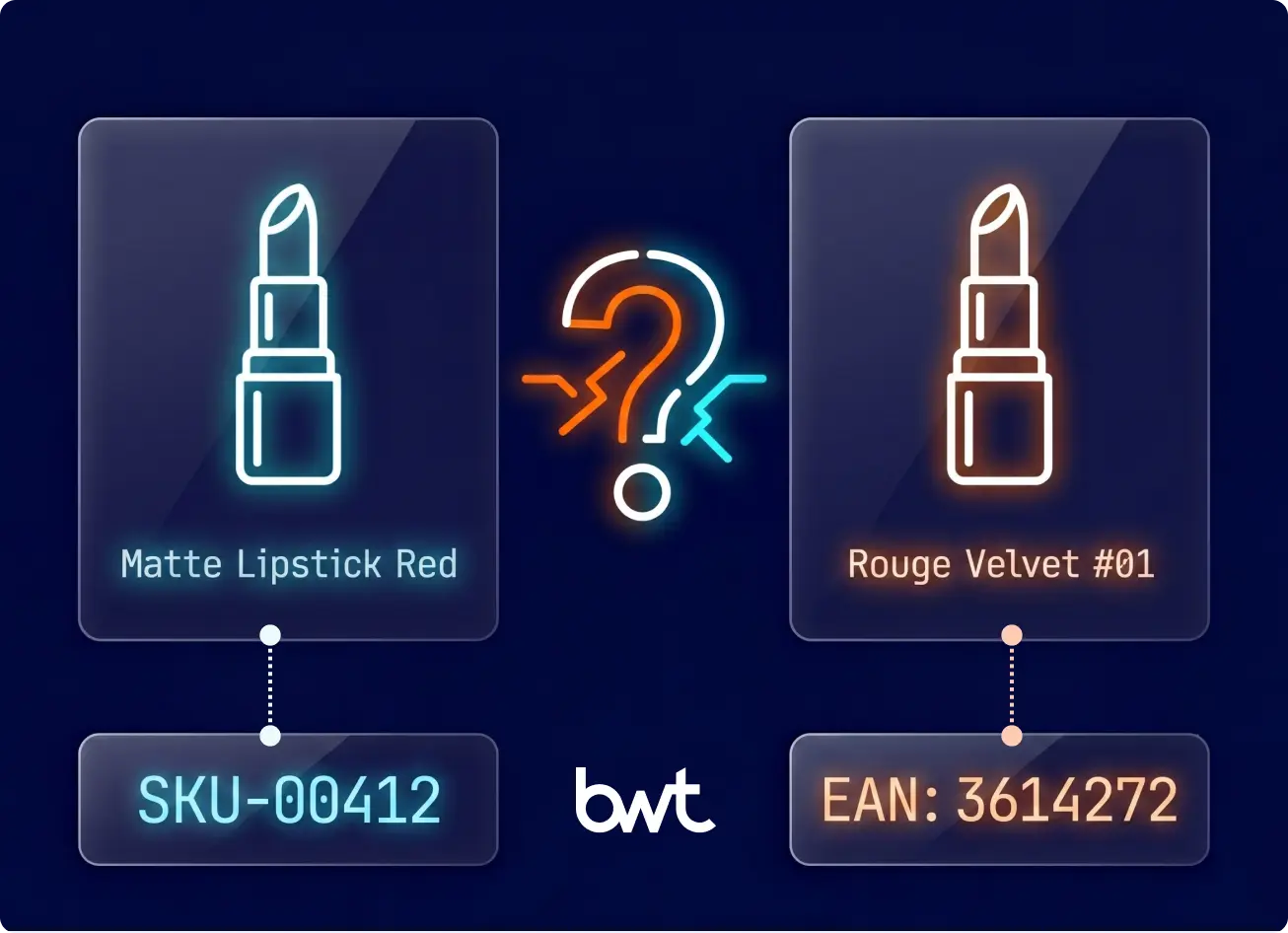
- Product matching. Take “Energizer AA 12-pack” listed on Amazon and “AA Batteries 12 Count Energizer” on Walmart — same product, different name, different SKU, completely different URL. Your system has to recognize they’re identical. Reaching 95%+ match accuracy usually takes 3 to 6 months of feeding corrections back into the model, though timelines vary — catalogs with universal identifiers like GTIN or EAN codes get there faster, while categories with inconsistent naming across retailers take longer. Below that threshold, you’ll catch yourself making pricing moves based on the wrong product comparison, and that can cost more than no monitoring at all.
- Alerting. Cleaned data triggers rules you define: “If Competitor X drops below my price on category Y, flag it.” “If three competitors cut prices on the same SKU, send it to the pricing manager.” The ability to monitor competitor price changes in near real-time is what separates automated systems from weekly spreadsheet reviews. The value of the whole system is measured by how fast and accurately these alerts fire.
- Action. Rules trigger either automated repricing or human review. The volume adds up faster than most teams expect: 1,000 SKUs tracked against 6 competitors with a 30-minute refresh cycle generates roughly 288,000 new data rows per day. Now tag each row with price, stock status, promo flags, and a timestamp. You’re over 1 million individual data points before the week is half done.
What can go wrong. Retailers actively defend against scraping. They use rate limiting, bot detection, CAPTCHAs, and IP blocking. Based on what we see across client projects, a noticeable share of production scrapers need fixes every week as sites update their defenses. Whether you build or buy, expect ongoing maintenance. Ask SaaS vendors about their breakage SLA: how fast do they fix it when a source stops returning data?
For teams that want the full technical picture (proxy infrastructure, TLS fingerprinting, behavioral detection), we’ve published a separate guide: Challenges in Web Scraping.
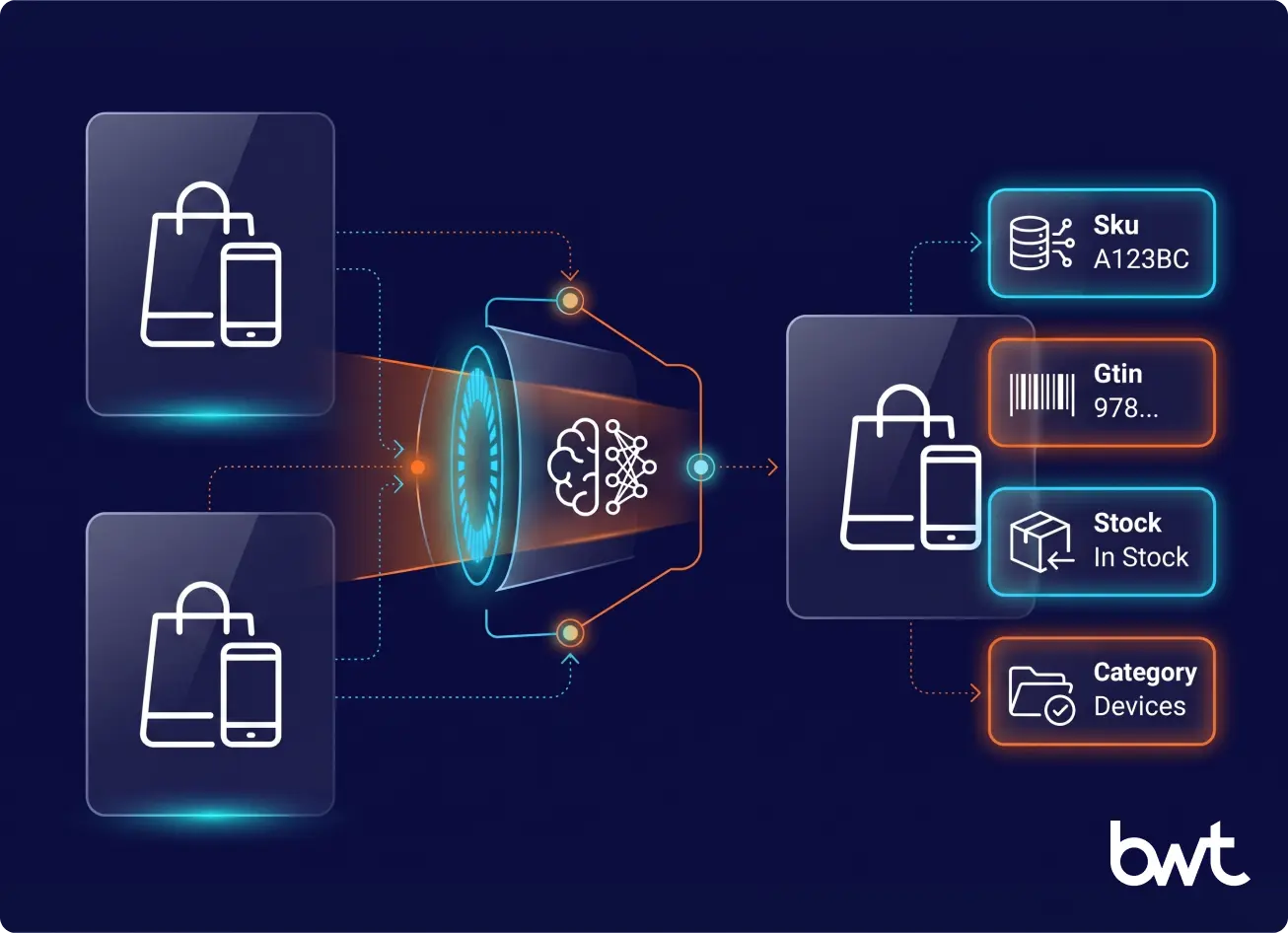
At enterprise scale, the challenge stops being “can we scrape prices?” and becomes “can we keep the pipeline stable every day across thousands of SKUs and dozens of sources?”
Running Competitor Price Monitoring 24/7 at Enterprise Scale
The hard part is not building the pipeline — it’s keeping it alive every day across every source. One retailer redesign or one bot-detection update can take the feed down for a week.
Frequency is the wrong starting question
Don’t ask “how fast does data refresh?” Ask “what percentage of scheduled captures complete with valid data?” A 30-minute refresh landing 60% is slower in practice than a 60-minute one landing 98%. Most pricing teams do not operationally act on more than two updates per SKU per day — set the cadence the business consumes, then engineer for margin.
Session vs streaming collection
Session-based runs pull all SKUs from a source in one wave on a schedule. Streaming runs each SKU on its own rolling timer.
Sessions are easier to debug, but the wave at :00 and :30 is a signature the source can throttle. Streaming spreads the load and lowers the per-minute signature.
Use sessions on lightly protected pages, streaming on marketplaces with strict per-window caps. The decision is per-source, not pipeline-wide.
Anti-bot resilience and proxy economics
The metric that matters is sustained collection rate on protected sources over 30 days — not a demo on a friendly site. Residential and mobile IPs cost 20–80× datacenter IPs, so defaulting to residential everywhere burns budget the business cannot defend.
Mix the pool: datacenter for unprotected catalogs, residential for tier-1 retailers, mobile only for marketplaces with stricter carrier-level filtering. For in-house teams, rotating proxies for web scraping is the right starting reference.
Quality metrics: freshness, coverage, success rate, SLA
A price intelligence pipeline lives or dies on four numbers, watched daily:
- Freshness — median age of the newest valid record per SKU. Fast-moving electronics need under 1 hour; furniture tolerates 24.
- Coverage — share of in-scope SKUs returning at least one valid record per window. Dropping 8% per cycle is worse than running slower at full coverage.
- Success rate — valid captures over attempted captures, by source. Drops signal a layout change or new defense before stale data reaches the pricing team.
- Scraping SLA — vendor commitment on breakage response. 4-hour mean time to repair is enterprise-grade; 24 hours is consumer-grade.
“Uptime is a vanity number on a scraping pipeline. The real SLA is how fast the team detects and repairs a broken source — and how transparent that repair clock is to the customer. Without those two numbers in the contract, the pricing team keeps finding stale data days after the fact.”
— Dmytro Naumenko, CTO, GroupBWT
Layout drift and the reaction playbook
Retailers redesign without notice. The scraper still returns “successful” requests — but the records no longer contain a price. Catch it with two checks: validate that each record carries the expected fields (price, stock, promo flag), and alert when any field disappears across more than 5% of records over 24 hours.
Then triage the source, ship a same-day selector patch to restore partial coverage, and close the underlying issue within the SLA window. Teams that wait for the permanent fix lose two to four days of competitive data per breakage. GroupBWT engineers this into every web scraping infrastructure we deliver.
First usable data in 1–2 weeks (not first pricing decisions)
“Show us live data inside two weeks” is realistic without breaking the longer rollout plan. Scope sprint one to a single priority source and 50 SKUs; in 10–14 business days the pricing team has raw records to validate against their catalog. The broader catalog and competitor list come online in weeks 4–8. Early data validates the pipeline. Early decisions wait until matching accuracy crosses 95%.
Enterprise RFP traps
The vendor questions earlier cover the technical floor. Procurement adds five traps that surface only at contract stage:
- Proxy pass-through pricing. Flat monthly fee, residential proxies billed separately at retail. Get the cost model in writing.
- Breakage SLA without a penalty clause. A 4-hour commitment without consequences is marketing, not contract.
- No data-portability clause. When the contract ends, history should leave with the customer in a documented format.
- Multi-region scope creep. “Europe” often means three countries. Spell out every country, domain, and marketplace by line item.
- Matching accuracy averaged across all clients. Ask for accuracy on your catalog after a 30-day calibration window, not the vendor’s portfolio number.
For the full vendor-selection walk-through, see our guide to choosing a web scraping service.
Launch Plan: From Zero to Live in 12 Weeks
Phase 1: Scope and Baseline (Weeks 1 to 2)
Don’t start with the whole catalog. Pick 200 to 500 SKUs — the ones where getting the price wrong costs you the most. Sort your catalog by gross margin dollars first, then by weekly unit volume. Commoditized categories where competitors sell the same product under different labels go to the top of the list.
For each SKU, pick 5 to 8 competitors per sales channel. Write down your current price, your current margin, and where you sit versus each competitor today. That snapshot becomes your benchmarking and competitive analysis starting point. Without that baseline, you’ll have no way to measure whether competitors price monitoring actually moved the needle three months down the road.
Phase 2: Tool Selection (Weeks 2 to 4)
Five things to check before you sign anything:
- Source coverage. Does it reach all the channels your customers compare you on?
- Refresh frequency. 30 minutes is standard for fast-moving categories. Daily works for furniture or specialty items.
- Matching accuracy. Ask for documented rates. Below 95%, your data is noise.
- API access. Can the tool feed data into your pricing engine, ERP, or BI dashboard?
- Breakage SLA. When a scraper fails, how fast does the vendor fix it? This is the one that separates good vendors from bad ones. Get a contractual commitment with a specific response-time guarantee.
Phase 3: Pilot (Weeks 4 to 8)
Turn on data collection for your 200 to 500 SKU subset and give it a full month to accumulate history. Each morning, pull up the dashboard. Spot-check five or ten product matches manually. Write down every mismatch you find, every stale price, every gap where data should be but isn’t.
One thing that catches people off guard during pilots: the tool returns list prices, but customers see different numbers after geographic pricing or loyalty discounts. Decide which price matters for your analysis before you build rules against it.
Phase 4: Rules and Rollout (Weeks 8 to 12)
Start with one rule, maybe two — don’t overcomplicate the first rollout. Something like: “Match the lowest competitor price, with a hard floor at 2% above cost.” Resist the temptation to build twenty rules in week one. Add them as you learn which triggers produce good decisions and which just generate noise.
Wire the output into your pricing workflow. In practice, most teams ease into it: one analyst pulls up the dashboard each morning, reviews the flagged recommendations, and green-lights or rejects each one. Nobody hands the keys to the algorithm on day one. Automated repricing — letting the system change prices on its own — comes after two or three months, once the rules have been tested enough that the team trusts them.
Best Times to Set Up Automated Competitor Price Monitoring
Not every week is the right week to flip the switch on automated price monitoring for competitors. Timing the rollout around your business calendar makes the difference between a clean launch and a chaotic one. Once you decide to act, you can monitor competitor prices at the moments when the data matters most.
Before peak selling seasons
If you sell anything seasonal — holiday gifts, back-to-school supplies, summer outdoor gear — get your monitoring system running at least six weeks before the rush starts. Competitors start repositioning prices well ahead of the peak, and the teams that catch those early moves have time to respond. Teams that launch monitoring mid-season spend the first two weeks fixing product matches instead of acting on pricing signals.
After a major competitor enters or exits your market
A new player disrupts existing price equilibria. An exit leaves gaps you can fill — or signals that margins in that category are thinning. Either way, monitoring competitor prices gives you a factual read on what’s actually changing instead of relying on sales reps’ impressions.
When you’re expanding into new channels or regions
Launching on a new marketplace or entering a new country? You probably don’t know the local pricing landscape yet. Tracking competitor pricing in the new market surfaces the going rates, typical promotional patterns, and competitive density before you commit to a price point you can’t sustain.
During annual pricing reviews
Most companies reset prices once or twice a year. That review goes better when you have three to six months of competitor pricing history to reference. Starting the tracking ahead of your annual review means the data is already there when the pricing committee sits down.
The bottom line: if any of these moments are approaching in the next quarter, now is the time to set up price competitor monitoring infrastructure so it’s collecting clean data before you need to act on it.
The ROI Calculation: A Worked Example
The best way to judge this? Run the numbers on a company that looks like yours.
Take a European distributor pulling in €10M a year. 800 SKUs in the catalog. Gross margin at 18%. Three main competitors. One person spending half a day every week updating prices by hand.
What the system costs per year:
- The SaaS platform itself — covering 800 SKUs across 3 competitors at 30-min refresh — runs about €1,200/month, so €14,400 for the year.
- Someone has to manage rules and review alerts. Call it 5 hours a week at €40/hr. That’s another €10,400/year.
- Total annual cost: €24,800
What the system brings back:
- Margin improvement of 1.5% — and that’s the conservative end of McKinsey’s 2 to 5% range. On €10M revenue, 1.5% is €150,000/year.
- Then there’s the time you get back. The team was spending 12 hours a week on manual tracking. At €35/hr across 50 weeks, that works out to €21,000/year in recovered labor.
- Total annual gain: €171,000
Here’s the formula: ROI = (Margin Gained + Labor Saved − System Cost) / System Cost
Plug in the numbers: (€171,000 − €24,800) / €24,800 = 5.9x return. The system pays for itself in under two months. Even if you slash the margin gain to 0.75% — half the conservative estimate — you’re still in the black by month four.
Your numbers will be different. The one calculation worth doing right now: take your annual revenue, multiply by 0.01, and compare that single percentage point of margin to €15,000 to €25,000 in system costs. If the margin number is bigger, the decision is clear — and the compounding effect of consistent pricing intelligence turns monitoring into a lever for web scraping for business growth.
Legal Boundaries: Five Rules That Keep You Safe
Courts in the US and EU have addressed price scraping directly, and the practical boundaries are clearer than the “grey area” label suggests.
In the US, hiQ Labs v. LinkedIn (Ninth Circuit, 2022) established that scraping publicly accessible data does not violate the Computer Fraud and Abuse Act. If a product price is visible to anyone with a browser, collecting it is legally defensible. On the EU side, the Database Directive (96/9/EC) gives database creators certain protections, but no European court has prohibited the collection of pricing data gathered at reasonable volumes from publicly listed product pages.
Five rules that cover 95% of cases:
- Only scrape what anyone can see without logging in. No bypassing authentication.
- Respect robots.txt as a signal of the site owner’s intent.
- Distribute requests across time. Do not overload target servers.
- Store only what you need: prices, timestamps, product identifiers.
- Document your reasoning. A written rationale matters more than verbal justifications if anyone asks.
If you follow these five points, the legal risk for price monitoring is low. For a deeper breakdown of GDPR and CFAA specifics, see our compliance-focused guide.
The Next Step Up: Predictive Pricing
Monitoring systems are getting smarter. ML models trained on 18+ months of historical data can already forecast competitor pricing moves with increasing accuracy. Some platforms show predicted prices alongside actuals. AI-generated pricing summaries — flagging weekly competitor moves, identifying seasonal patterns, and recommending hold-or-adjust actions — are already available in several enterprise platforms today, and AI driven web scraping is accelerating the trend.
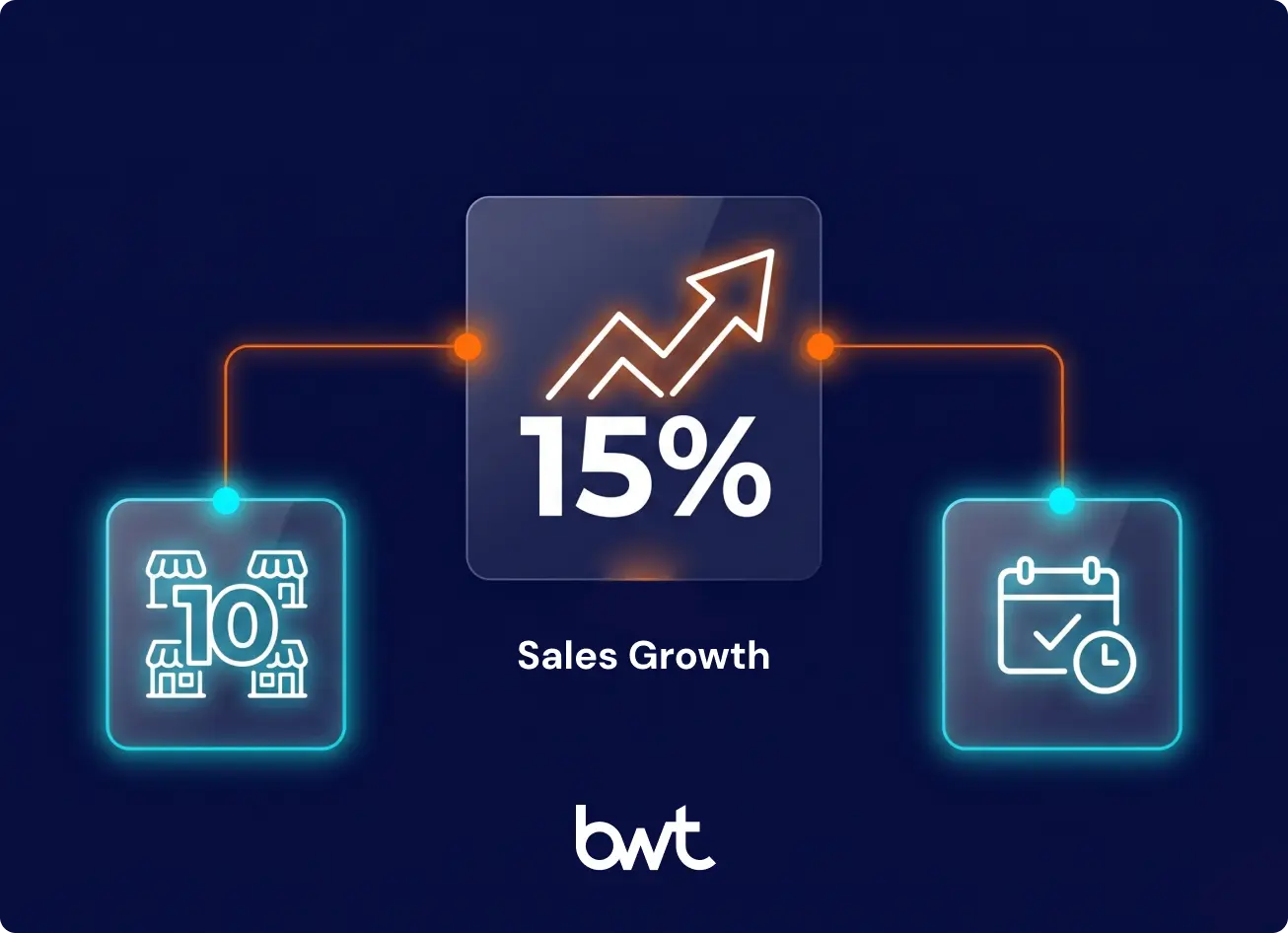
These capabilities build on top of the base-level win most companies still haven’t captured: automated competitor price monitoring with 30-minute refresh and rule-based alerts. That alone delivers the 2 to 5% margin improvement the research points to. Predictive features add upside once the foundation is in place.
Where to Start
Quick math. Take your annual revenue and knock off two zeros — that’s what a single point of margin is worth to you. Compare it to €15,000–€25,000, the typical annual cost of a monitoring system. If your number is bigger, competitor price monitoring pays for itself before the first year is out.
What to do right now: grab your 200 highest-margin SKUs and your top 5 competitors. Sign up for a 30-day pilot with one of the SaaS platforms above. You won’t have perfect product matching in the first month — that takes longer. But even rough early data tends to surface pricing gaps and competitor patterns that nobody on your team had spotted manually.
If you want to discuss which setup fits your product catalog and competitive environment, or if your sources require custom scraping, get in touch with GroupBWT. We build monitoring systems for e-commerce brands, retailers, and distributors, from standalone scrapers to full pricing intelligence pipelines.
Most teams see early signals within the first two weeks of a pilot — pricing gaps, competitor patterns, and outliers that were invisible before. The data is there on day one, but the first week goes to cleaning up product matches and fixing false positives. Around week three, pricing managers typically feel confident enough in the feed to begin making small, manual adjustments on well-matched SKUs. Full rule-based automation — meaning the system reprices without a human signing off on each change — generally requires two to three months of clean data and 95%+ match accuracy across the catalog, though product category complexity can stretch that timeline.
One person, part-time. The SaaS platform handles the data collection, matching, and delivery; a human still needs to review alerts, adjust pricing rules, and verify data quality on a regular basis. Five to eight hours per week is typical for a catalog of 500 to 1,000 SKUs. If you’re building custom scrapers, add one engineer at roughly 50% capacity just for maintenance and breakage fixes. For teams exploring how to monitor competitors price levels without hiring a dedicated analyst, starting with a SaaS tool keeps the headcount requirement low.
Technically, yes. If your scraper sends too many requests from the same IP address in a short window, their server logs will show it. Most SaaS vendors distribute requests across rotating residential IPs and randomize timing patterns to avoid detection. If you’re rolling your own scrapers, you’ll need to build those same defenses: IP rotation, randomized request intervals, and browser headers that look like real visitor traffic. That said, price monitoring is industry-standard practice. Most large retailers assume they’re being scraped, and many scrape their competitors in return.
It works for both, though B2B introduces extra friction. B2B pricing is frequently gated behind login walls, tied to negotiated contracts, or revealed only after a formal quote request. SaaS monitoring tools are built mostly for public-facing consumer prices. If you’re in B2B, you’ll likely need custom scraping with authenticated sessions — or a hybrid where the scraper handles what it can and your sales team fills in the rest. We’ve seen reps log competitor prices from proposals they receive, and that data flows into the same dashboard alongside the scraped numbers. For B2B teams, the ability to monitor competitor prices often depends on combining scraper output with human intelligence from your own sales reps.
95% is the practical floor. Below that, you’ll spend more time checking matches by hand than the automation saves you. At 90%, roughly one in ten price comparisons is wrong, and pricing rules built on bad comparisons can move your prices in the wrong direction. SaaS vendors typically report accuracy rates as averages across their entire client base — your results will vary depending on how standardized your product catalog is and how many regional naming variations exist.
Good monitoring systems flag outliers before feeding them into pricing rules. If Competitor X suddenly shows a $9.99 price on a product that normally sells for $99.99, that’s either a flash promo or a data entry mistake. The system should tag that as an anomaly and hold it for manual review instead of auto-matching to a price that makes no sense. Most SaaS tools have anomaly thresholds you can configure (for example: “ignore any price change greater than 30% from the 7-day average”).
Begin with a SaaS platform and a narrow SKU set — 200 to 500 products where margin matters most. Map each SKU to 5 to 8 competitors. Run a 30-day pilot, spot-check product matches daily, and resist the urge to build pricing rules until match accuracy hits 95%. Once the data is clean, layer on alerting rules one at a time. This phased approach keeps the workload manageable even for a small team.
Read summarized version with
Data Engineering: From Raw Web to Data Product
We develop and manage custom data solutions, powered by proven experts, to ensure the fastest delivery of structured data from sources of any size and complexity.
We offer:
- Custom Web Scraping & Development
- 15+ Years of Engineering Expertise
- AI-Driven Data Processing & Enrichment