

An AI chatbot for business understands customer questions, retrieves accurate information from your data, and takes action — processes a refund, qualifies a lead, updates an account — all without human intervention.
| Traditional chatbot | AI chatbot | |
| Understands | Exact keywords and menu choices | Natural language, intent, context |
| Answers from | Pre-written scripts | Your CRM, knowledge base, and live data |
| When it doesn’t know | Loops or dead-ends | Routes to a human with full context |
| Takes action? | No — links to FAQ pages | Yes — processes refunds, updates records, and qualifies leads |
| Learns over time? | No | Yes — improves from every conversation |
This article is for companies evaluating whether to build a custom AI chatbot development solution . We cover real engineering projects, architecture decisions, and a practical build-vs-buy comparison.
Most business chatbots run on internal data — CRM, help center, ticketing. But in some industries, information changes daily and lives outside your company: competitor pricing, regulatory updates, public reviews. Web scraping becomes the data layer that keeps answers grounded in reality. (See our guide on AI data scraping.)
Why Businesses Invest in AI-Powered Chatbots
Cut Support Costs Without Cutting Quality
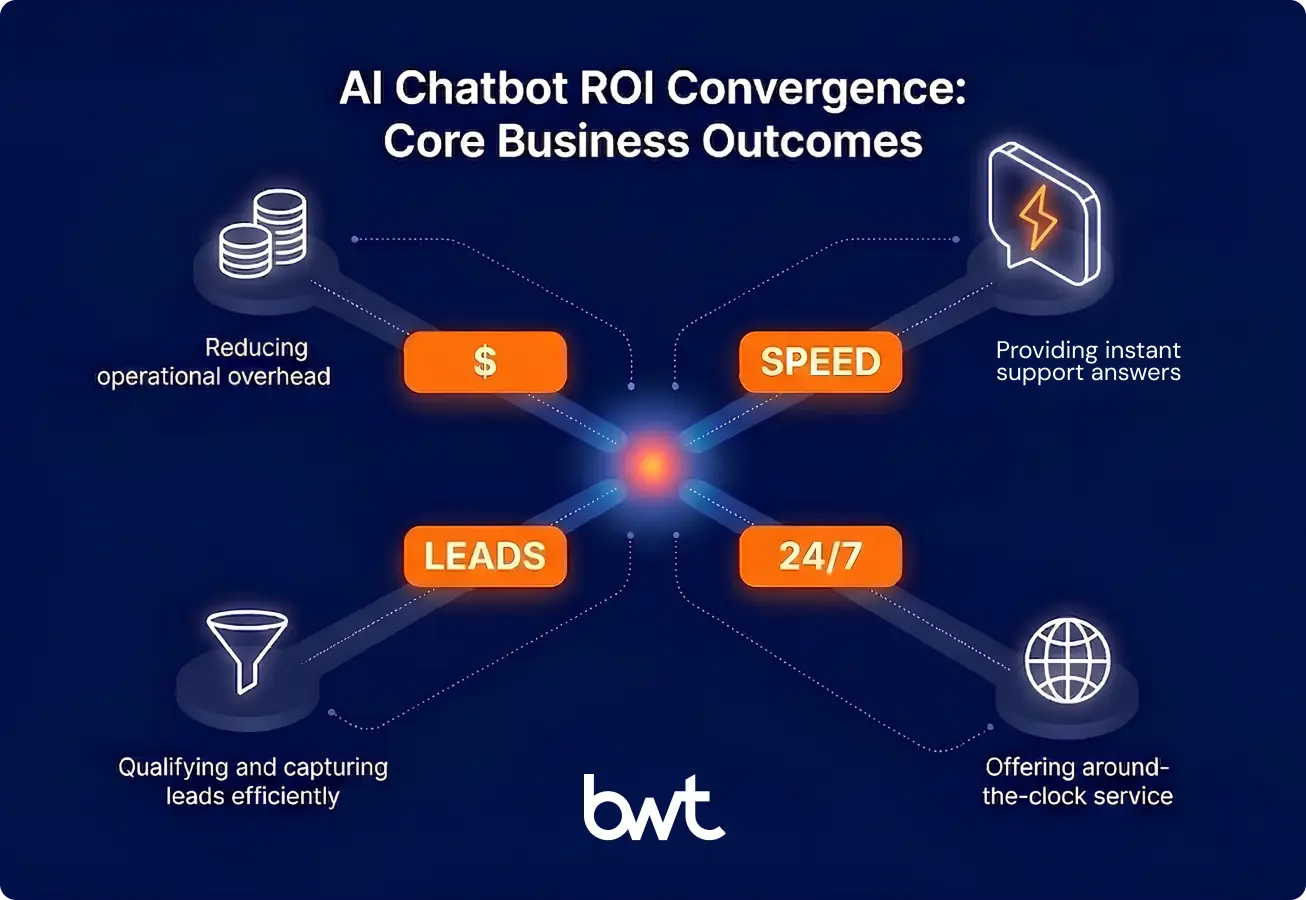
A human agent costs $5–$12 per ticket. A well-built chatbot handles 60–80% of routine inquiries for a fraction of that, with savings reaching six to seven figures per year.
Respond in Under a Second, Every Time
These systems answer instantly and handle hundreds of conversations at once. When connected to your CRM through RAG (Retrieval-Augmented Generation), the bot knows who’s asking and what they’ve asked before.
Turn Website Visitors into Qualified Leads
Modern chatbots don’t just greet visitors — they qualify them. They ask smart questions based on behavior, score leads in real time, and route the best prospects to sales immediately. Companies using AI powered chatbots for business in sales funnels see 30–50% better lead qualification and shorter sales cycles.
Stay Open 24/7 Without the Overhead
AI chatbots for businesses can handle 10 or 10,000 conversations with the same approach: no shift scheduling, overtime, or multilingual hiring. For companies expanding globally, always-on support is a necessity.
AI Chatbots for Business: GroupBWT’s Use Cases
A quick reference — where internal data is enough, and where your bot needs external data from the web:
| Use case | Yes — internal data is enough (sources) | External data (scraping) becomes essential when… |
| Customer support | Tickets, CRM, help center | Answers depend on reviews, social sentiment, or third-party info |
| Sales & leads | CRM, visitor behavior | You need firmographic data from public sources to enrich leads |
| HR & knowledge | Policies, wikis, docs | Rarely — internal data is enough |
| E-commerce & pricing | Catalog, inventory | Pricing depends on what competitors charge right now |
| Banking & fintech | Transactions, accounts | Almost always — risk data, public filings, and reviews live outside the org |
Customer Support That Actually Closes Tickets
Good support bots resolve issues — pulling account data, processing refunds, and handing off to humans when needed. (Example: our AI chatbot for automation of work with insurance clients.) For most companies, internal data powers 80%+ of support.
Case study — Turning Social Media Noise into Travel Recommendations
A social-driven travel platform needed to deliver personalized destination insights based on what real travelers are saying on social media right now.
The problem: For every useful travel tip, there are hundreds of irrelevant or spam posts. Running all of that through an expensive AI model would cost a fortune.
The solution: A two-stage pipeline. Stage 1 is a lightweight classifier — a small, fast Natural Language Processing (NLP) model that costs almost nothing per post — that filters out irrelevant content. Only the ~40% of posts that pass this filter move to Stage 2, where a full-scale AI model runs sentiment analysis and topic extraction. The team built and deployed this system end-to-end.
The result: City-level travel insights at 60% lower AI processing cost, because the cheap filter keeps the expensive model from wasting time on noise.
“Stage 1 is a lightweight classifier that costs almost nothing per post. It separates signal from spam, so Stage 2 — the expensive LLM — only processes what matters.”
— Oleg Boyko, COO at GroupBWT
Sales and Lead Qualification
AI chatbots sit at the top of the sales funnel: asking the right questions, scoring leads on firmographic and behavioral data, and routing qualified prospects to the right rep instantly.
The best implementations connect to your CRM, so every conversation builds on what’s already known. No “can you spell your name again?” moments.
HR Bots: The Use Case Where Internal Data Is Enough
The best AI chatbot for business productivity here connects to Confluence, SharePoint, wikis, and ticketing systems through a single interface.
How AI Chatbots Transform Sales Training and Education
Case study — AI Tutor and AI Colleague for an EdTech Platform
An EdTech platform teaching financial skills through simulations needed more than passive exercises. Users could complete scenarios but couldn’t ask questions, practice business conversations, or get real-time guidance.
The solution: GroupBWT built three AI-powered conversational assistants as a dedicated microservice on AWS ECS:
| AI assistant | What it does |
| AI Colleague | A GPT-4-powered chatbot that simulates business conversations — negotiations, presentations, sales calls. The user practices with an AI that plays the role of a client or colleague. |
| AI Tutor | Answers questions during simulations in real time, explains financial concepts, and provides context-aware guidance. |
| AI Content Assistant | Built on Claude, helps course authors create and refine educational content at scale. |
Architecture: A standalone Python + PostgreSQL + Redis service on AWS ECS, integrated with the main Nuxt.js application. Three development teams coordinated across the platform.
The result: The platform evolved from static Excel-based simulations to a full AI-powered learning environment. B2B clients — including enterprise brands — now use it as an employee training tool. Over 6.5 years of continuous development partnership.
How Call Centers Get AI Coaching That Actually Understands the Conversation
Case study — Conversational Intelligence for Sales Teams
Call centers in the Baltic region had no tools to analyze call quality in Lithuanian. Standard NLP libraries delivered only ~40% accuracy on the language. Managers spent hours manually listening to recordings, processing just 5 calls per hour.
The solution: GroupBWT built a custom AI chatbots for industry of conversation analysis:
| Component | What it does |
| Speech-to-text engine | wav2vec2-based transcription deployed on GCP Kubernetes for scalable audio processing. |
| Custom Key Spotter | Dictionary-based phrase detection that significantly outperforms generic Natural Language Processing (NLP) on underserved languages. |
| Analytics dashboards | Agent performance metrics, word clouds, and quality ratings for managers. |
| AI Coach (Leya/Buddy) | GPT-4-turbo-powered coaching system: lessons, assignments, AI-generated answers to manager questions, and performance ratings. |
The result: API response time optimized from 20 seconds to acceptable levels through caching. The product scaled to a multi-client architecture. Over two years, it evolved from simple call tracking to a full AI coaching platform for sales teams.
Custom AI Chatbots for Industry-Specific Needs
Off-the-shelf platforms handle generic use cases — FAQ bots, basic lead capture, simple ticket routing. But when your industry has strict compliance rules or requires integration with specialized internal systems, custom AI chatbots for industry are the only option. (We explore this in depth in building industry-specific AI chatbots.)
Healthcare: Where an AI Mistake Is a Compliance Violation
Healthcare tolerates zero errors. HIPAA compliance, dozens of document types, and clinical workflows where a wrong answer has real consequences.
Case study — Cutting Physician Credentialing from Months to Days
Physician credentialing traditionally takes months of manual document review. GroupBWT built a multi-agent AI system for a U.S. healthcare credentialing provider.
How it works:
| AI agent | What it does (in plain terms) |
| Router | Looks at each incoming document and decides: “Is this a license, a diploma, or a certification?” Then it goes to the right specialist. |
| Extractors | Each handles specific document types (40–50 in total). Pulls out the relevant fields: name, license number, expiration date, and institution. |
| Critic | Checks the extracted data for errors and inconsistencies. Catches problems before they go further. |
| Profile builder | Assembles everything into a complete, verified physician profile. |
| Human reviewer | A credentialing specialist reviews and approves the final profile. The AI does 90% of the work; the human provides the 10% that compliance requires. |
The roadmap includes a chat interface for credentialing staff and automated scraping of government registries for real-time license verification.
Retail, Telecom, and Beyond
Custom AI chatbots for industry extend well beyond healthcare and finance. In retail, bots handle product discovery, orders, and returns across channels. In telecom, they integrate with network monitoring, billing, and provisioning systems to handle millions of monthly interactions.
An AI chatbot for your business in these sectors requires deep integration with industry-specific backends — PIM systems, warehouse platforms, provisioning tools — that no generic platform supports. The more specialized your workflows, the stronger the custom case.
What Stops the Bot From Making Expensive Mistakes?
Without guardrails, AI can hallucinate product features, promise discounts that no one authorized, cite outdated regulations, or surface internal data in a customer conversation.
The Five Mistakes That Cost Real Money
| What goes wrong | Example | What it costs |
| Invented facts | The bot describes a product feature that doesn’t exist | Returns, complaints, trust damage |
| Unauthorized promises | The bot offers 30% off — nobody approved that | Revenue loss, precedent |
| Stale information | Bot cites a regulation that’s been updated | Compliance violation, fines |
| Data leakage | Internal pricing shows up in a customer chat | Competitive exposure, privacy breach |
| Bad advice | Medical bot suggests outdated treatment | Liability, patient harm |
How We Prevent This in Practice
Guardrails work in three layers:
Checkpoint 1: Input filtering. The system screens for prompt injection, regulated topics, and out-of-scope requests — routing each appropriately.
Checkpoint 2: Output validation (the critical one). Rule-based validators check every response against source data. Did the bot invent facts? Promise something outside policy? Every output is cross-checked against raw data before the user sees it.
Checkpoint 3: Confidence-based escalation. When the bot isn’t confident, it routes to a human with full context.
For AI-powered chatbots for business in healthcare, finance, or legal domains, these guardrails aren’t optional — they should be designed into the architecture from day one.
Chatbot AI Business Solutions: Build vs. Buy
Define the outcome first — lower costs, faster responses, better lead conversion — then pick the approach. The strategy differs significantly depending on the size of your organization.
AI Chatbot Solutions for Small Business
Not every company needs a six-figure custom build. An AI chatbot for small businesses can start with a focused scope — after-hours support, lead capture, or FAQ automation — and deliver measurable ROI within weeks.
The key difference: small teams can’t afford months of integration work. The best AI chatbot solutions for small businesses launch fast, connect to existing tools (CRM, help desk, e-commerce platform), and handle 60–80% of routine questions from day one. Off-the-shelf platforms like Intercom or Zendesk AI cover these needs well when workflows are standard.
Where it gets more interesting: AI chatbots for small businesses in regulated sectors — healthcare clinics, local financial advisors, legal practices — face the same compliance requirements as enterprises. PCI DSS and GDPR apply regardless of company size. Many off-the-shelf platforms cover only part of these requirements, creating a gap that custom solutions fill.
The AI chatbot implementation process for small businesses compresses into 2–4 weeks: audit your top queries, clean your knowledge base, deploy on one channel, and measure. Start small, expand when numbers confirm it.
AI Chatbot for Large Businesses
An AI chatbot for large businesses running multi-language enterprise support requires a different architecture. When you process specialized documents, need custom guardrails, or connect to external data, it’s time to build AI chatbots for businesses from scratch. Enterprise solutions demand full control over data pipelines, advanced security, and seamless integration with complex legacy systems.
| Buy (Intercom, Drift, Zendesk AI) | Build (Custom) | |
| Time to launch | Days to weeks | 2–6 months (a focused MVP can go live in 8–10 weeks) |
| Best when | You need FAQ + lead capture + basic routing | You process specialized documents, need custom guardrails, or connect to external data |
| Customization | What the platform offers is nothing more | Full control |
| External data | Not supported (or very limited) | Full scraping pipelines, any source |
| Guardrails | Vendor-provided, one-size-fits-all | Custom per your compliance requirements |
| Cost | Predictable subscription | Higher upfront, lower per-interaction at scale |
The Part Most Vendors Don’t Mention: Maintenance Costs
When you build AI chatbot for business that relies on external data, it’s a living system — not a one-time build. Plan for:
- Scraper maintenance: 10–20% of initial development effort per year to keep data pipelines working as source websites change.
- Model updates: Periodic retraining or prompt adjustments as your business or regulations evolve.
- Monitoring infrastructure: Real-time alerts when data quality drops, so your team knows about problems before customers do.
Custom AI solutions deliver better ROI over time if you budget for ongoing maintenance.
What the Data Pipeline Looks Like
When a custom chatbot needs external data, four components work in sequence: a search module (visits sources, collects results — configured per website), a content cleaner (strips navigation and ads), a format converter (turns PDFs and docs into text), and a task orchestrator (parallelizes large jobs). Each scales independently.
Connecting to Your Existing Systems
The bot delivers most value when connected to CRM (knows who’s asking), ERP (processes orders in real time), and your data warehouse (learns from conversation analytics). Integration architecture matters more than model choice.
Security and Compliance
| Standard | Who needs it | What it requires |
| SOC 2 | SaaS companies | Access controls, encryption, and audit logging |
| HIPAA | Healthcare | Patient data protection, audit trails, and data residency |
| PCI DSS | Financial services | Payment data isolation, penetration testing |
| GDPR | EU-facing businesses | Consent, deletion rights, data portability |
Technology Decisions That Actually Matter
Whether you choose a Generative AI development approach or a traditional Machine Learning pipeline, the model matters less than how your AI development company integrates it into your workflow. What matters more:
| Decision | When to care | When it’s less important |
| Proprietary vs. open-source model | You need full control over data residency, or you want to avoid per-query API costs at scale | Standard support bot with moderate volume |
| Fine-tuning on your domain data | Specialized vocabulary (medical, legal, financial) or strict tone requirements | General-purpose FAQ and support |
| Two-stage filtering (as used in the travel platform cases above) | High-volume data ingestion where 50%+ of the input is noise | Low-volume, high-intent queries |
Internal Data vs. External Data: Two Different Architectures
RAG comes in two flavors, and the choice drives the entire architecture:
| Internal-data RAG | External-data RAG (with scraping) | |
| Data lives in | Your CRM, knowledge base, and internal docs | Government registries, review sites, competitor platforms, and medical databases |
| Updates | When someone edits a document | Continuously, automatically |
| Good for | HR bots, support, internal IT | Healthcare compliance, regulatory monitoring, and market intelligence |
| Freshness risk | Moderate (docs go stale slowly) | High (regulations and prices change daily) |
| Maintenance | Low — your team controls the sources | Ongoing — source websites change, require monitoring |
“A static knowledge base is a liability in regulated industries. We scrape authoritative sources — medical databases, government registries, financial filings — so the bot reflects current reality, not a six-month-old snapshot.”
— Alex Yudin, Head of Data Engineering and Web Scraping Lead at GroupBWT
Conversation Analytics
Every chatbot interaction reveals what customers ask most, where the bot fails, and what converts. The travel platform extends this to external data, using social media NLP to update its intelligence layer continuously.
How to Choose the Right AI Chatbot for Businesses
Scalability Means More Than “Handles More Chats”
It also means: How fast under load? How big can the knowledge base grow? How many languages? When building AI systems on real-time data, your infrastructure is the ceiling.
Data Privacy: A Legal Requirement
For AI chatbots in regulated markets, governance is non-negotiable:
- Where is customer data stored? Can you control the region?
- Is customer data used to train models? Can you opt out?
- Is audit logging complete and tamper-proof?
- How are deletion requests handled?
Measuring What Matters
| What to track | When to measure | What “good” looks like |
| Deflection rate | Before launch → ongoing | 60–80% of routine queries are handled without a human |
| Customer satisfaction | 30 days post-launch | CSAT holds steady or improves vs. human-only baseline |
| Resolution time | Before launch → ongoing | Faster for bot-handled issues, same or better for escalated |
| Lead conversion | 60 days | 30–50% improvement in qualified lead rate |
| Employee time saved | 90 days | Measurable hours recovered from internal queries |
Custom AI solutions improve over time. Off-the-shelf ROI plateaus at the vendor’s automation ceiling.
Implementation Roadmap
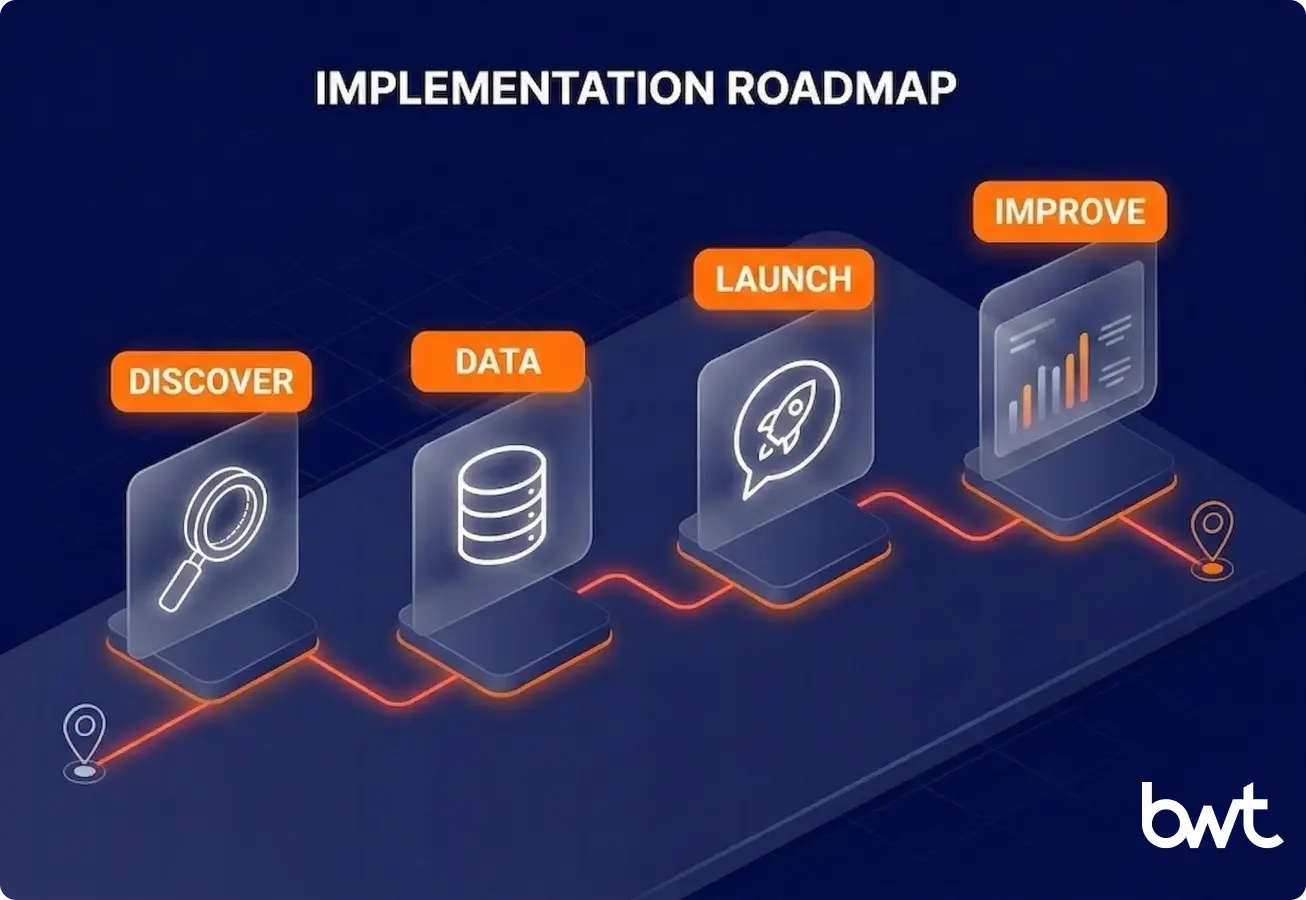
Phase 1: Figure Out What to Automate (2–8 Weeks)
Look at your support data. What do people ask most? What takes the longest to resolve? What’s repetitive? That’s where AI pays off fastest. Timelines vary by company size:
- Small Business: The AI chatbot implementation process for small businesses can be compressed into 2–4 weeks if answers are already in your systems.
- Enterprise: Large-scale projects, like building an AI chatbot for business automation in healthcare credentialing, take months to map out compliance and data sources properly.
Phase 2: Prepare Your Data
For internal-data bots: clean up your knowledge base and help center — quality AI training data is the foundation. If you build AI chatbots for businesses that rely on external data, build the scraping pipeline first — pipeline accuracy equals AI accuracy.
Phase 3: Start Small, Expand When It Works
Deploy on one channel, one use case. Measure against baselines. Expand when the numbers confirm it.
Phase 4: Monitor and Improve
Track automation rate, escalation frequency, and customer satisfaction. For scraping-powered bots, also monitor data sources — websites change layouts and add CAPTCHA, and you need to know within minutes. (See ChatGPT web scraping.)
What’s Changing Right Now (and What It Means for Your Next Project)
Chatbots Are Becoming Agents
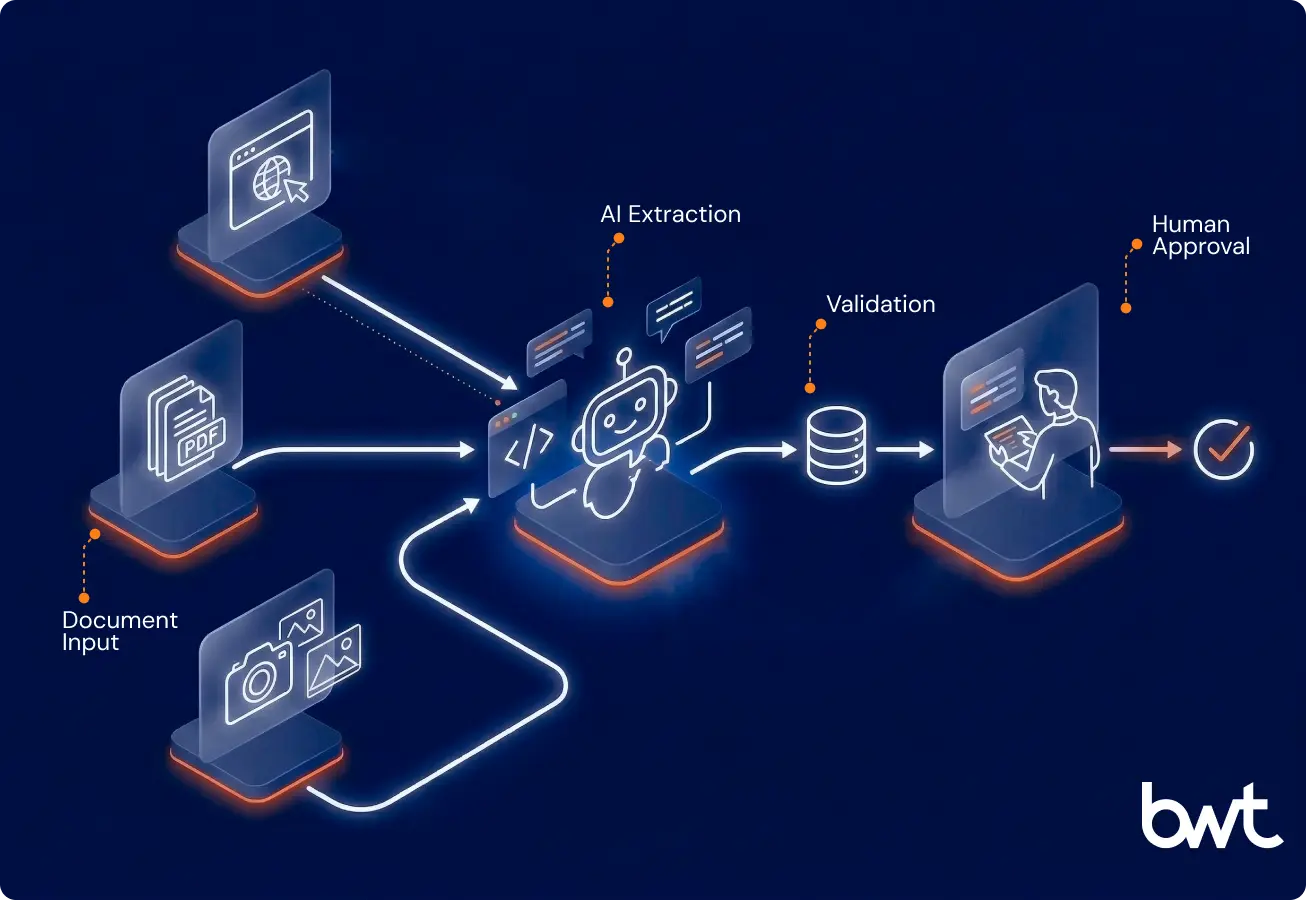
Instead of answering from stored data, the next generation goes out and finds what it needs — visiting websites, processing documents, and extracting structured data. The projects above are early examples.
The Human-in-the-Loop Model Is Winning
Across five production deployments, one pattern consistently wins: AI handles volume and pattern recognition, humans handle edge cases and accountability.
What These Five Projects Have in Common
| Project | Industry | Before → After |
| EdTech platform — AI Tutor & AI Colleague | Education | Passive simulations → interactive AI-powered training with conversational practice |
| Conversational intelligence platform | Sales | Manual call review (5/hour) → AI-powered transcription, analytics, and coaching |
| U.S. healthcare credentialing provider | Healthcare | Credentialing: months of review → AI + human approval |
| Social-driven travel platform | Travel | Social media → personalized AI recommendations at 60% lower cost |
Every project paired AI with the right data source and built-in validation — and reached production within months, not years.
Whether you need to build AI chatbot for business with complex domain requirements or a focused single-workflow solution, the starting point is your support data. An AI chatbot for business automation pays off fastest where ticket volume is high, and answers are already in your systems.
Book a 30-minute consultation
We’ll review your top queries, map your data sources, and recommend build, buy, or hybrid. Get a free consultation.
FAQ
-
How much does it cost to build a custom AI chatbot?
MVP: $30K–$80K, 8–10 weeks. Enterprise with external data and guardrails: $150K–$500K+. Maintenance: 10–20% of initial cost per year. Off-the-shelf ($500–$3,000/month) — cheaper to start, but limited in features.
-
What happens when the chatbot can’t answer a question?
It detects low confidence, passes the conversation to a human with full context (chat history, customer profile). That interaction then trains the bot.
-
Is my customer data safe inside an AI chatbot?
Yes, if designed for it. Key choices: cloud vs. self-hosted, opt-out from model training, data residency, and encryption. Regulated industries also need audit logging, role-based access, and GDPR/PCI DSS compliance.